
A loadout board built for Amazon DSPs
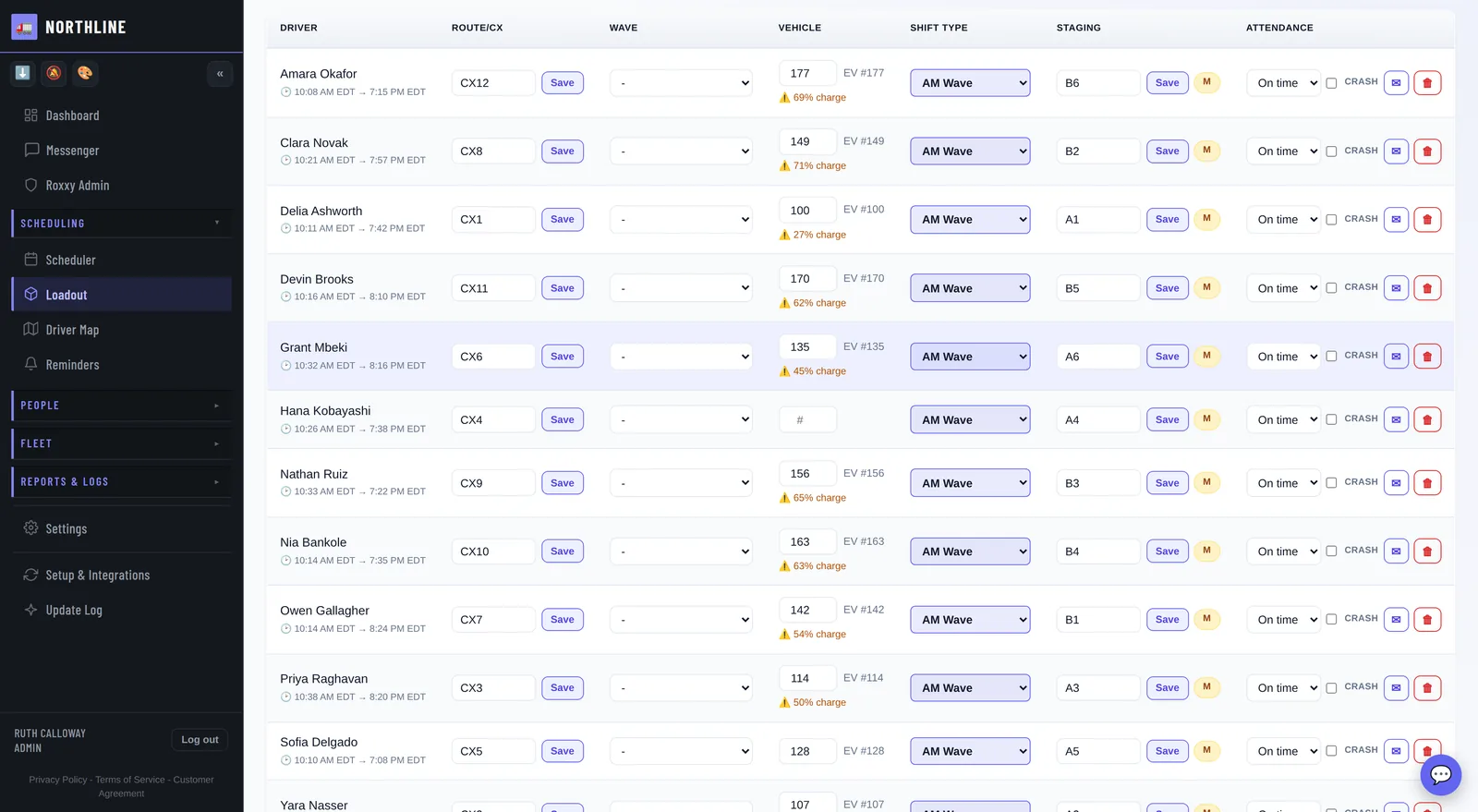
The morning, on one board: every driver with their route, van, wave and staging spot, under five counts that say how far along the day is. Bring in the route plan, let the vans assign themselves, and send each driver their Route Info before they walk in. No sheet to hand round, no group text, no crowd around a whiteboard.
Screens from the running app. The company, drivers and vans in them are invented.
Every driver on one row
- Route (the CX number), wave, van, shift type, staging spot and attendance, for every driver on the day.
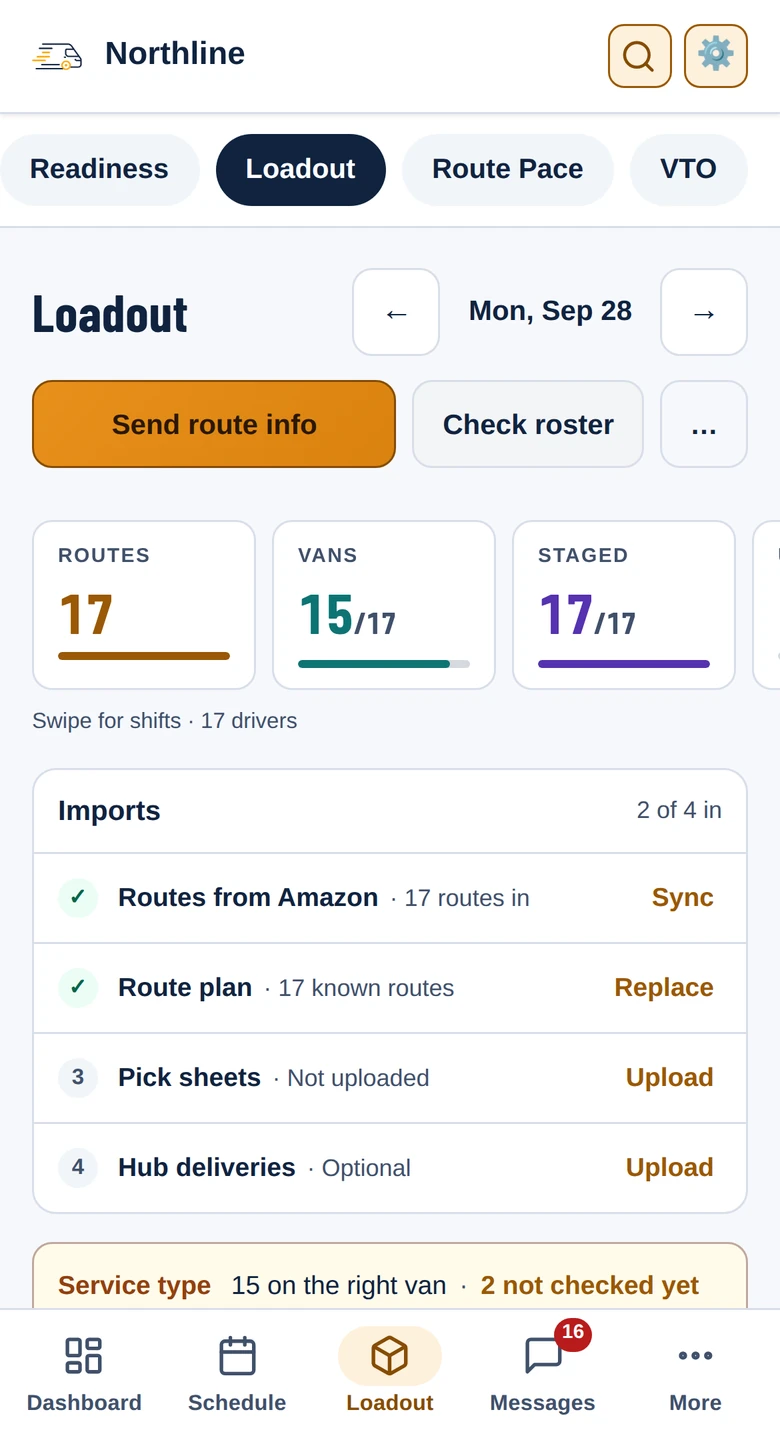
- Five counts across the top, each with a bar: routes, vans assigned, shifts assigned, staged, and drivers who are not on the schedule.
- A low charge shows beside the van, so an EV that did not charge is spotted before it is handed out.
- Anyone given a route who is not on the board is named above it, and the route codes nobody is holding are listed in front of you.
- Crash routes, reductions and helpers are counted on the same line.
The route plan in, the vans out
Upload the day's route plan and the CX numbers land on the board, each with its wave and staging slot. Each station's route plan layout is set up once, and a plan for the wrong day is stopped before it goes in. Then Auto-assign hands out the vans by shift type and each driver's van preferences, asking first whether to keep the vans already on the board. A step van only goes to a driver with the DOT skill, and a van you keep out of Auto-assign stays out.
Route Info on every driver's phone
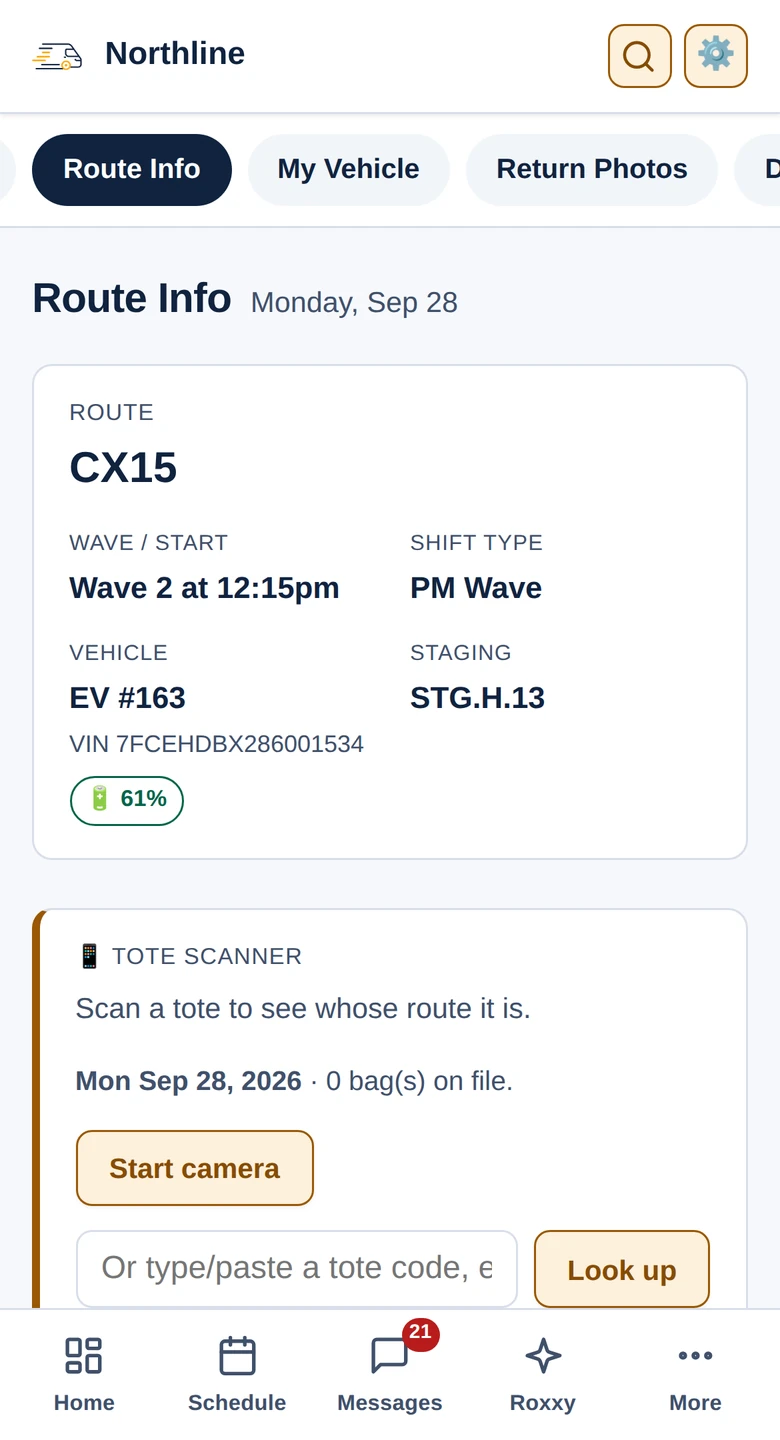
Press Send route info and each driver gets a message with their route, van, wave time and staging spot, a photo of their pick sheets, and a heads-up when they have hub sheets. The same details wait on the Route Info tab of their app, with the van's charge and a tote scanner that says whose route a bag belongs to. If a write-up is waiting for their signature, their route info waits until they sign or refuse.
Sheets for the line-up
- Wave sheet: set your wave times once, and uploading the route plan hands you the day's wave sheet as a spreadsheet.
- Print sheet: the day's roster grouped by vehicle type, with the stand-up count boxes, laid out to print clean.
- Dispatch line-up: drivers grouped by wave with a check-off column, so everybody lines up in the right wave outside.
- Check roster: anyone on the schedule who is not on Amazon's roster for the day is flagged before the wave.
The day, closed
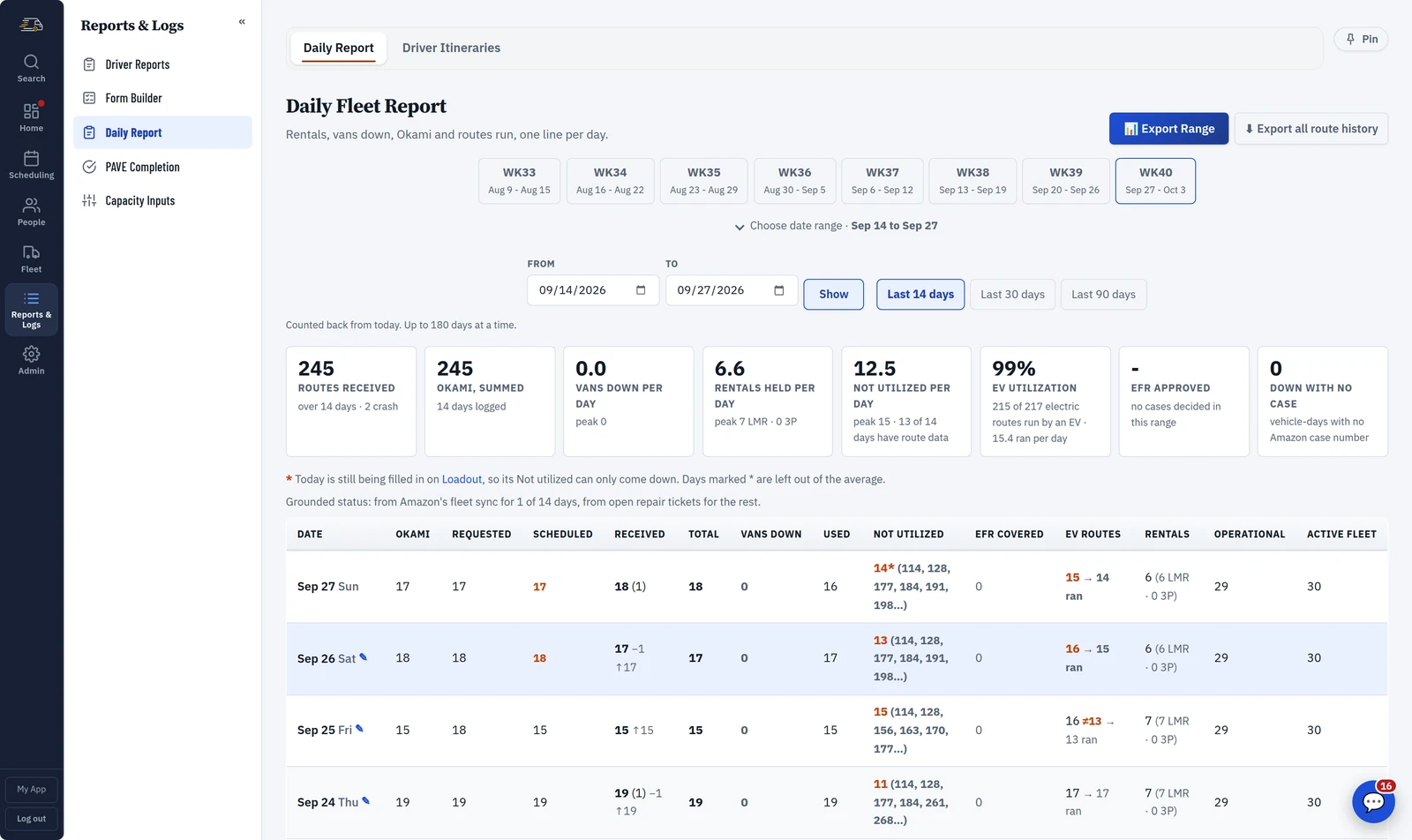
The Daily Report keeps one line per day: routes received and run, crash routes, vans down, rentals, Okami, EV utilization and the routes a driver was rescued on. Pick a week or a date range and export it to a spreadsheet.
Questions
What if my station sends its route plan differently?
That's handled. Each station's route plan layout is configured separately, and stations that send the same format share one importer.
Do drivers still need a printed sheet?
No. Route Info reaches their phone the moment dispatch sends it. If you still want paper for the line-up, the print sheet and the wave line-up are one click away.
Can we run more than one station?
Yes. Each station gets its own board, its own chats and its own route plan, and a driver only sees theirs. The reporting rolls all of them up, so you can still read the week as one operation.
The rest of the day
See it on your own routes
Your first month of the whole platform is free, for everyone, whenever you start. A week of real routes, punches and write-ups is the only way to judge this, and that takes a month to build up.