
Fleet Cadence runs a DSP's schedule, loadout board, fleet, coaching and scorecard from a desk or a phone, and gives your drivers an app they actually open.
1 DSP onboarded so far
An example board. The drivers, vans and routes on it are invented.
Actual screens from the running app, not mockups. The company, the drivers and the vans in them are invented - no customer's data is on this page.
On the dispatcher's desk
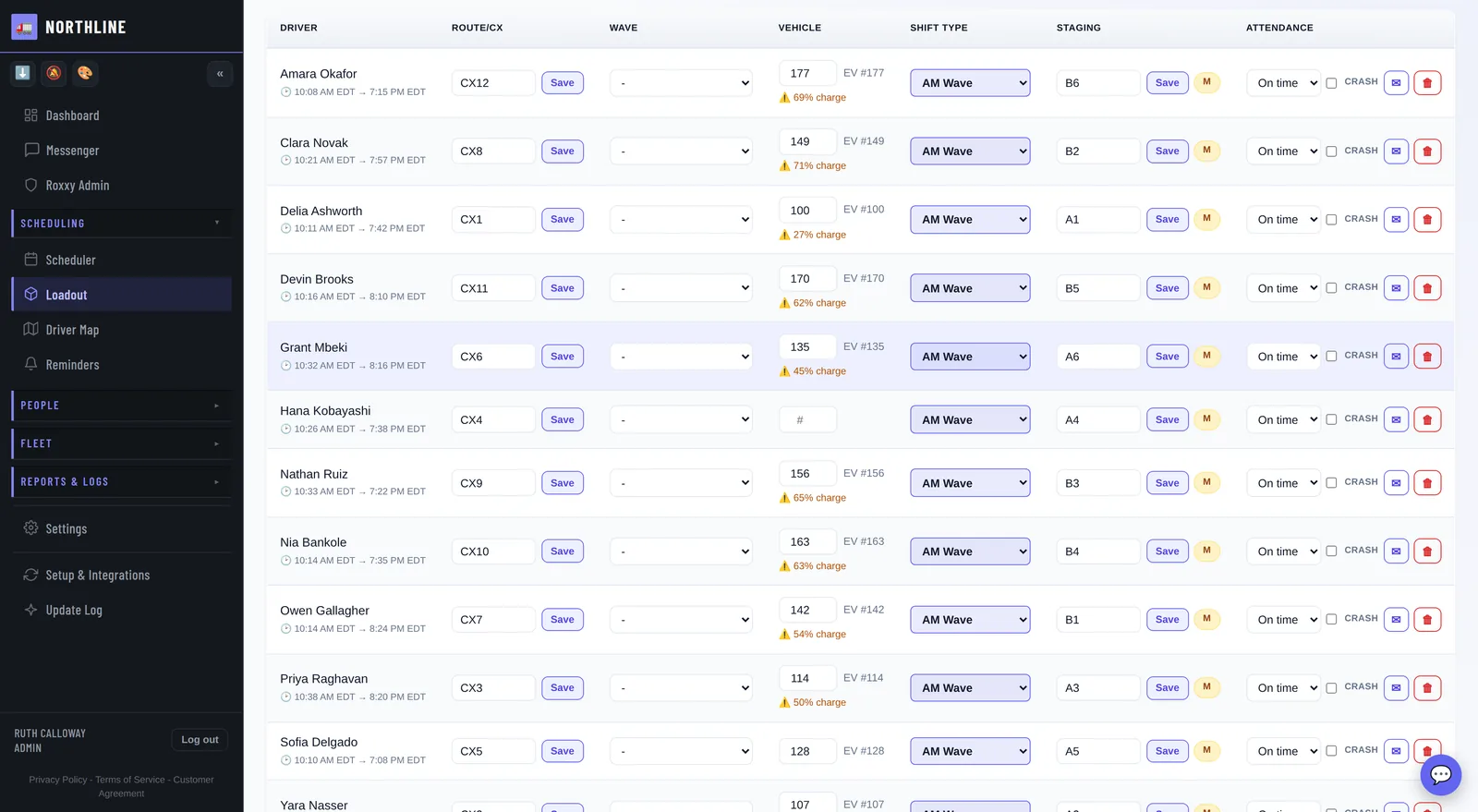
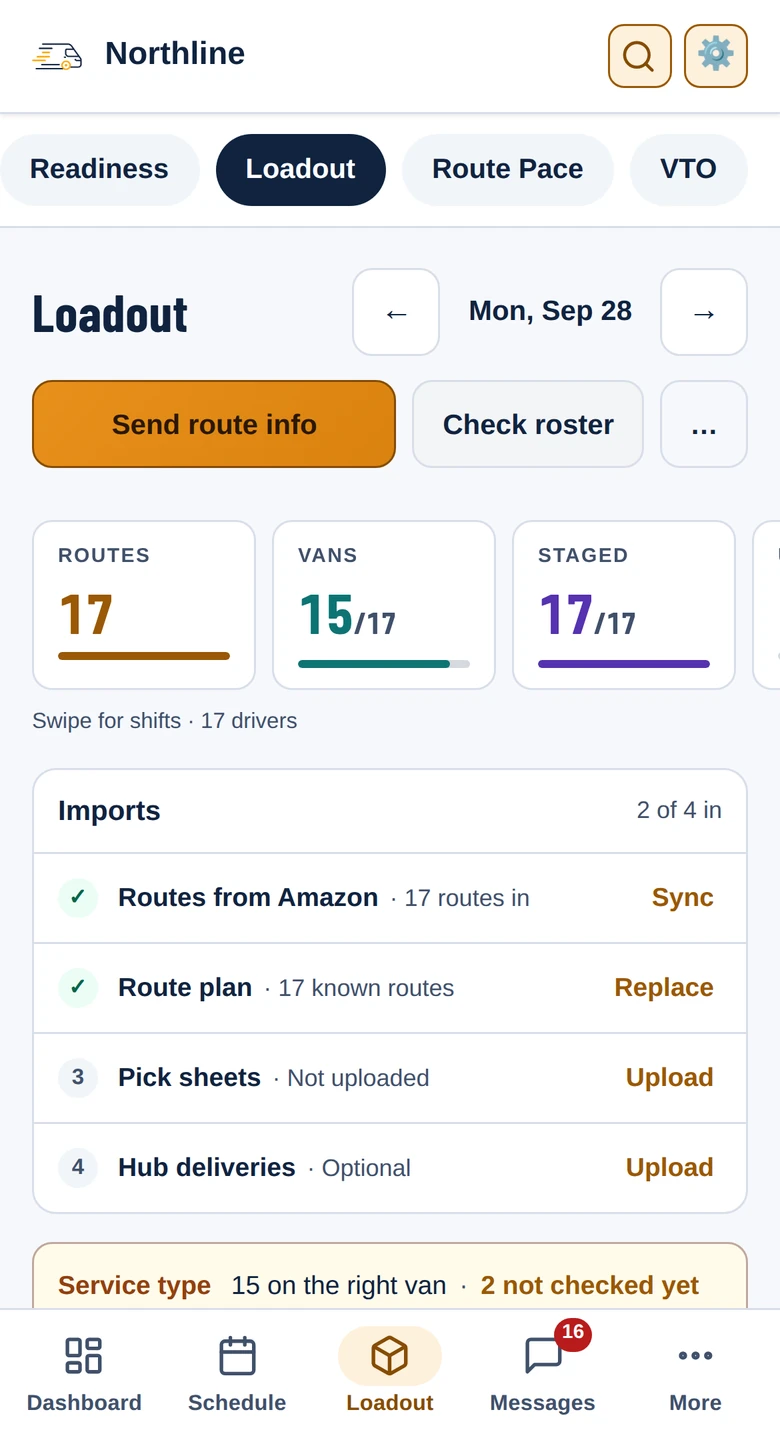
Route, van, wave, staging, pick sheets and hub sheets against every driver for the day, under five numbers that say how far along the board is. Anyone scheduled but not on Amazon's roster is flagged above it, and Send route info puts it on their phone before they walk in - no printed sheet, no group text, no crowd around a whiteboard.
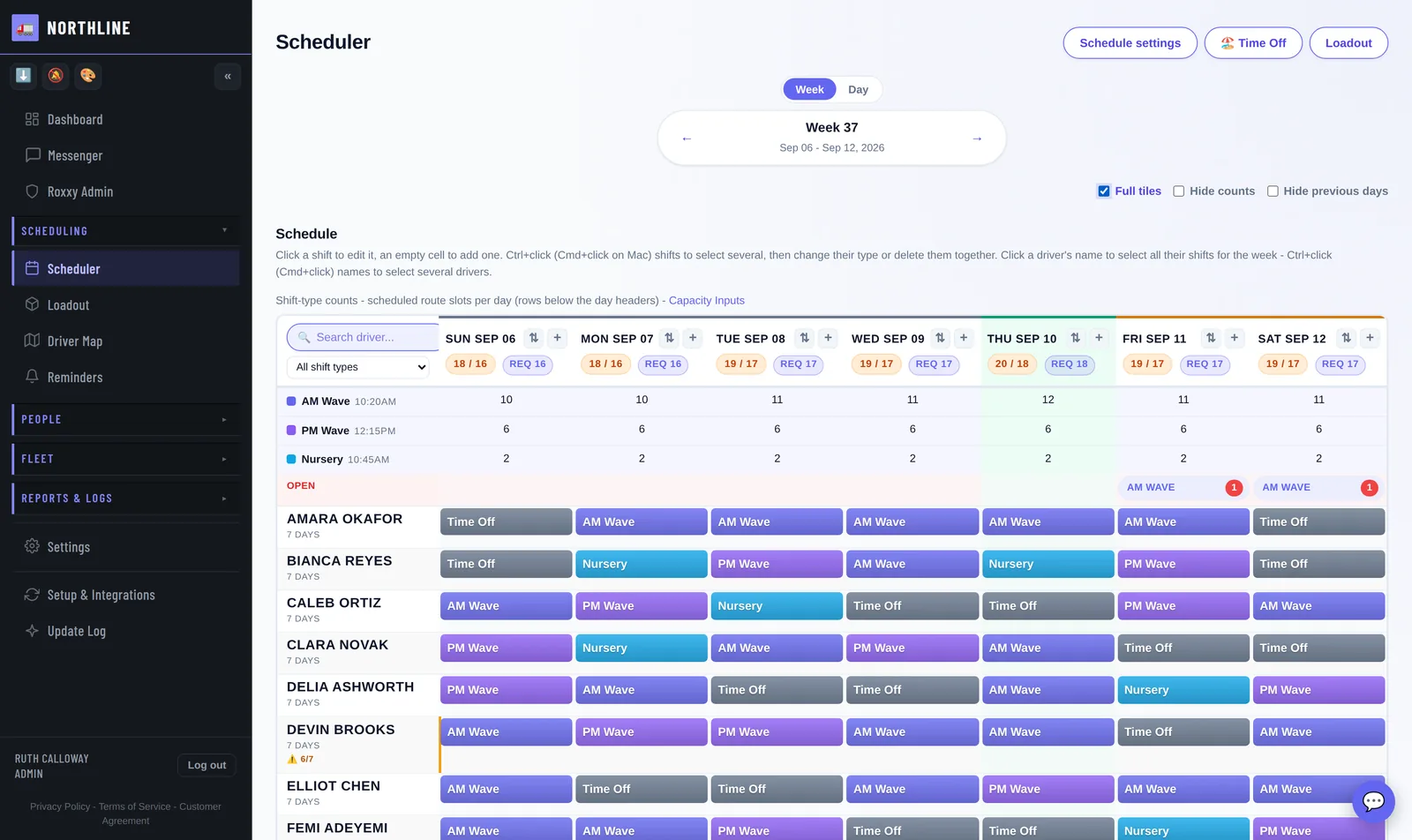
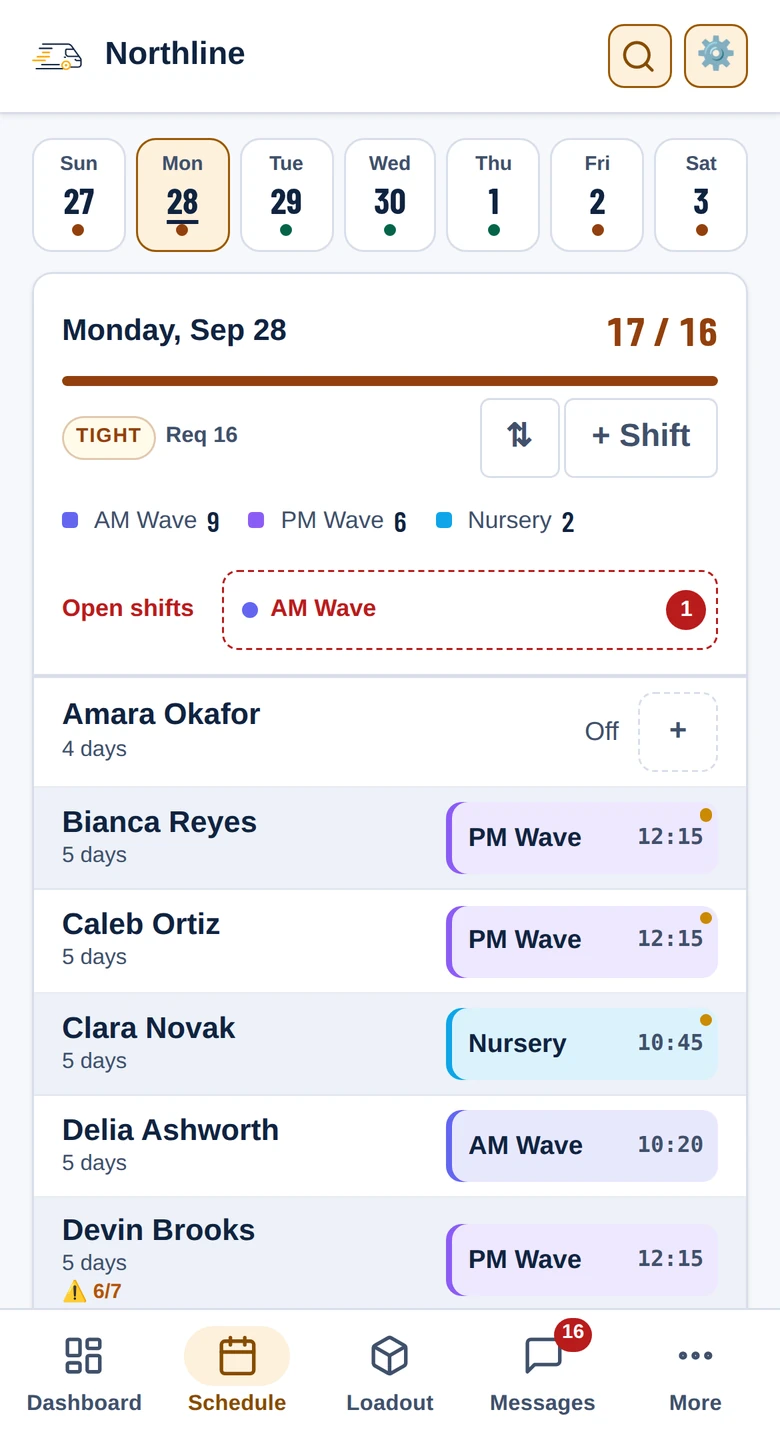
A week per screen, one row per driver, each day headed with scheduled against needed, the count per shift type and its open shifts. Pick-up and drop requests wait behind one button, and drivers claim the open shifts themselves.
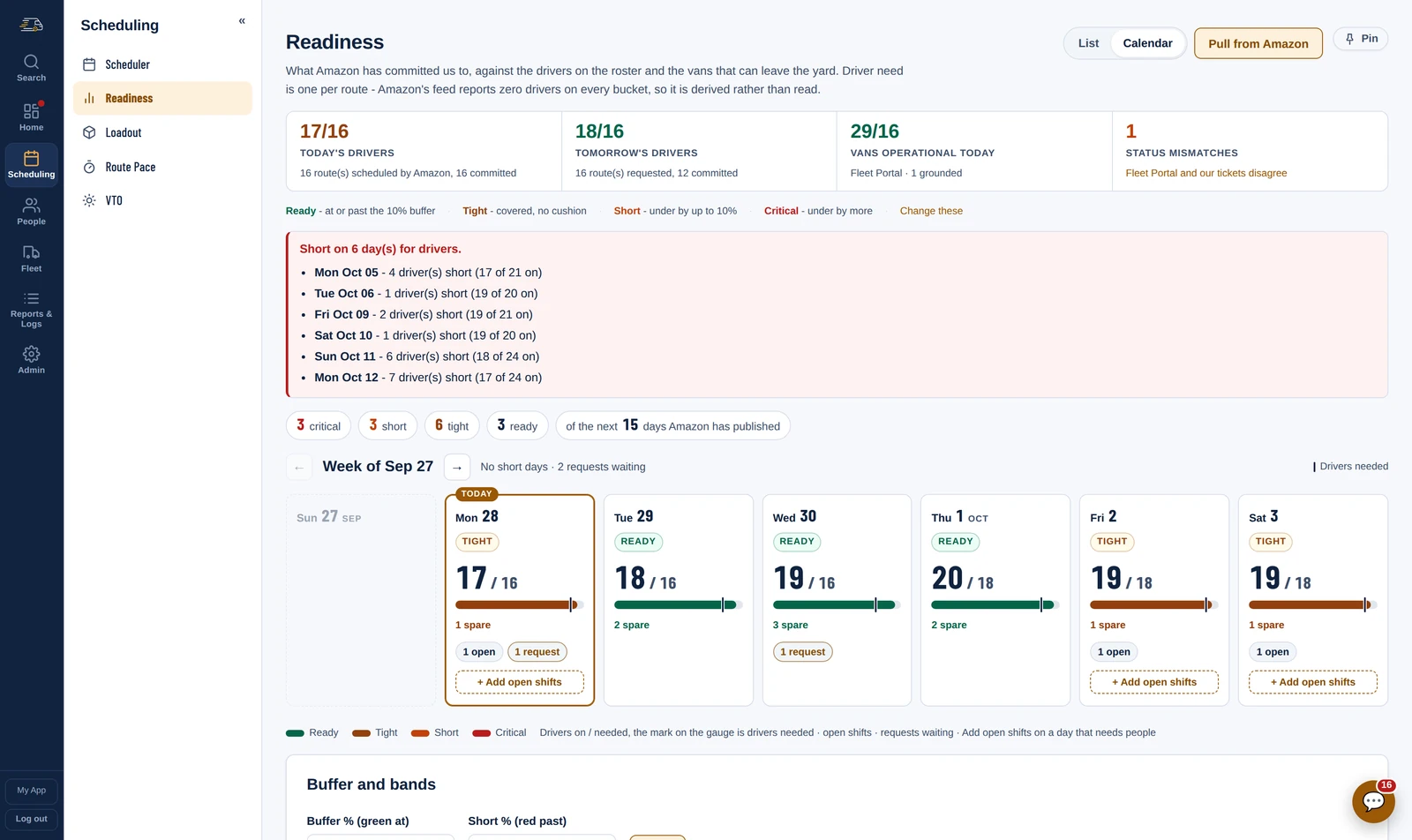
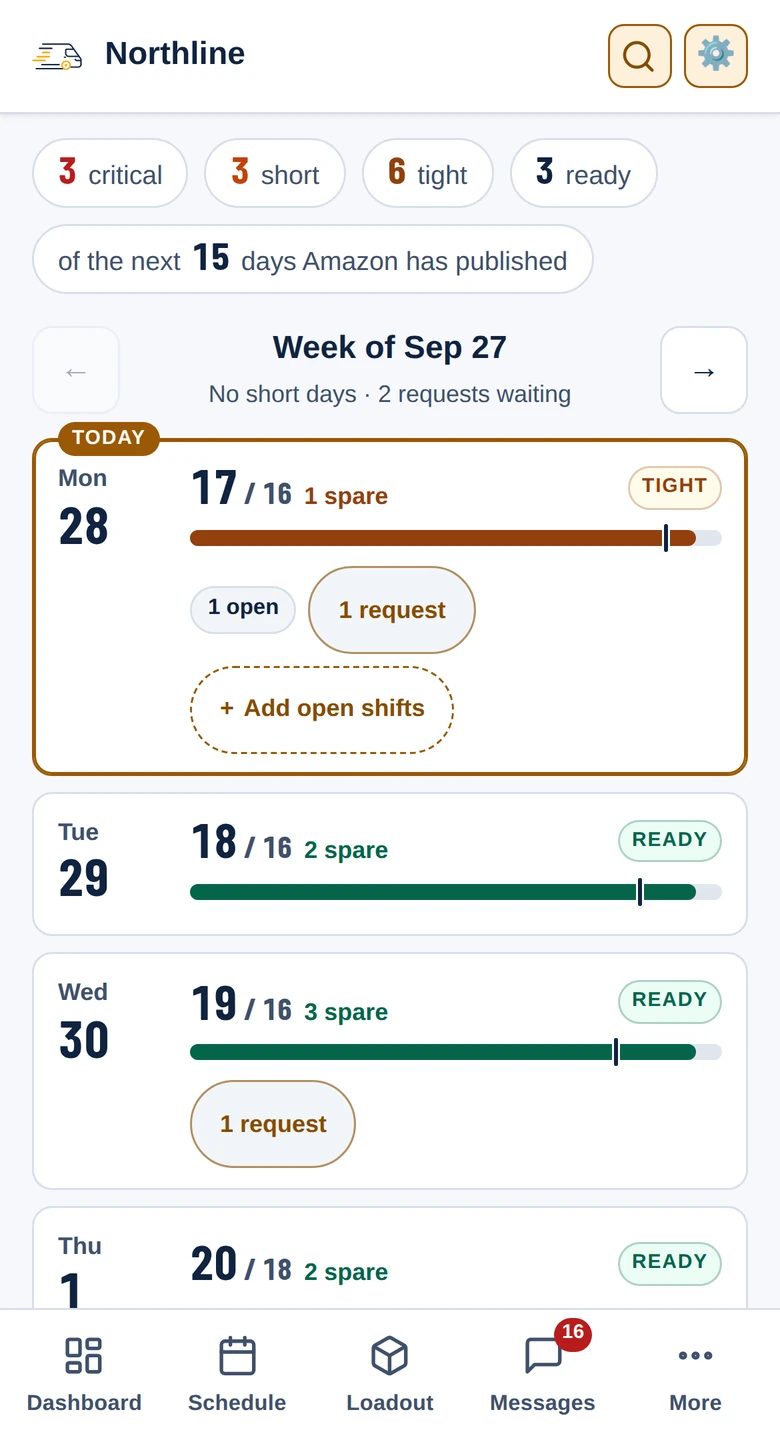
What Amazon has committed you to, against the drivers on the schedule and the vans that can leave the yard, for every day it has published. Each day reads Ready, Tight, Short or Critical against your own buffer, and a day that needs people adds its open shifts from the same card.
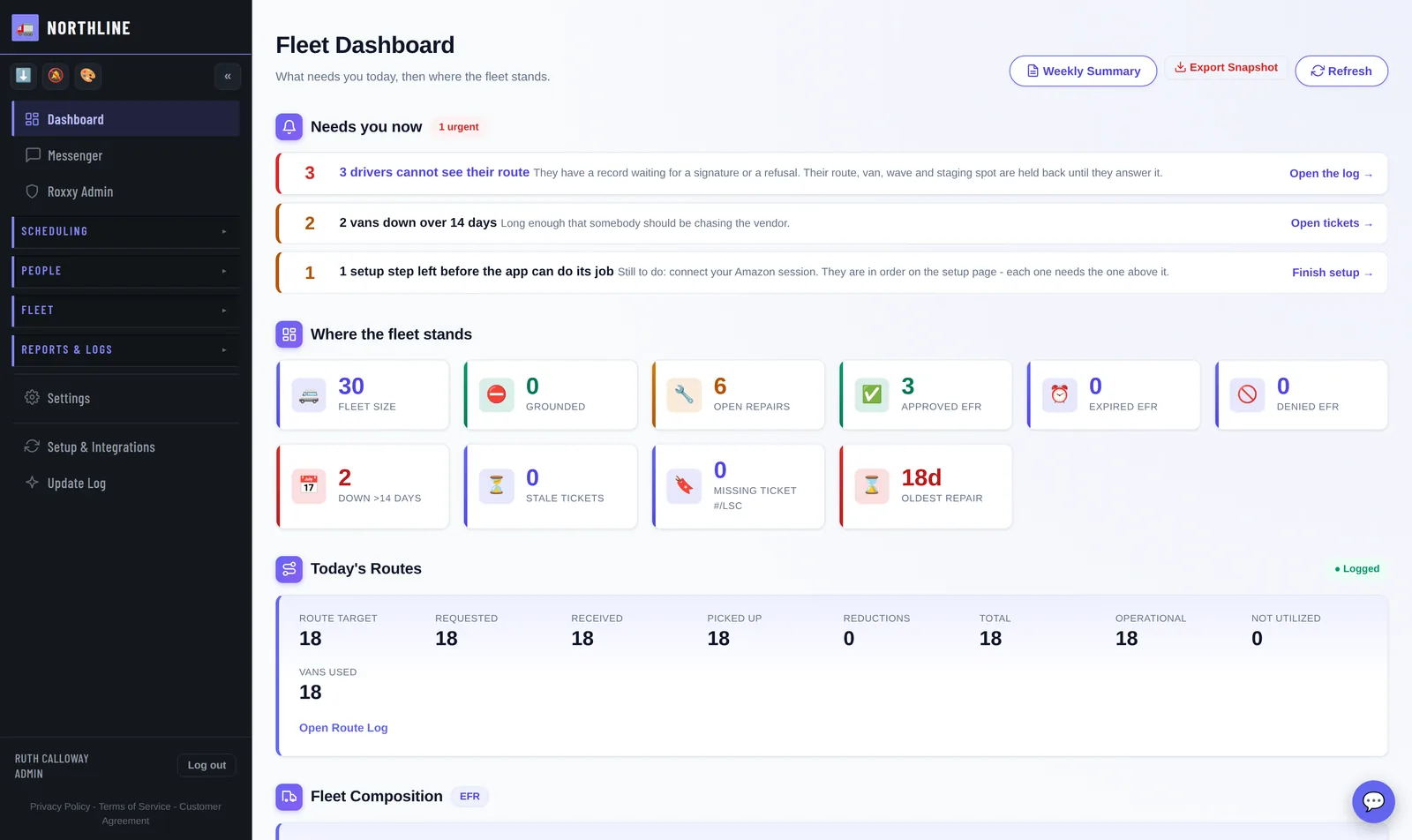
The morning read: what needs you now, what today's routes came to against the target, and whether tomorrow has the drivers and vans it needs.
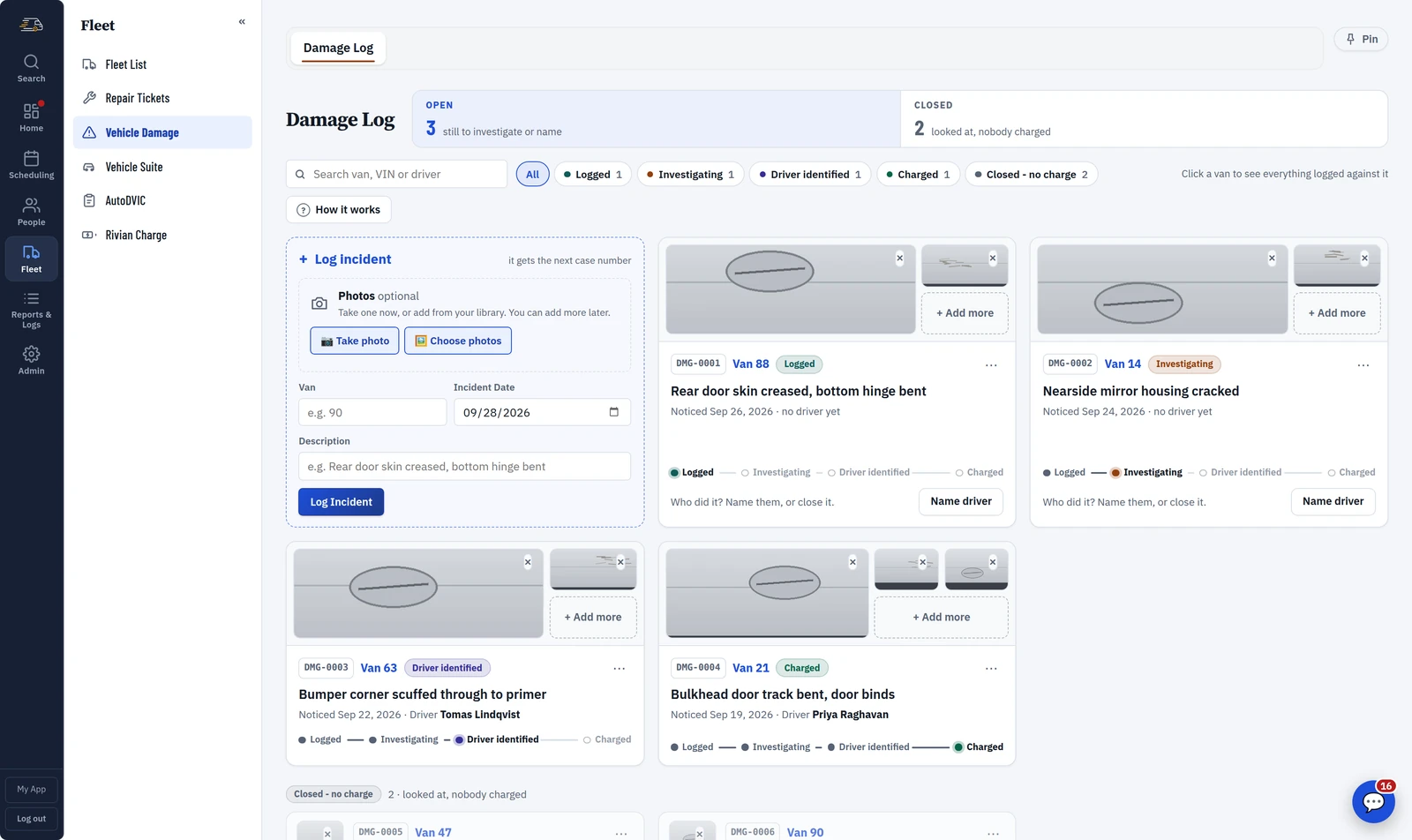
Dispatch, channels and direct messages in the same place the schedule lives - so the answer isn't in somebody's texts.
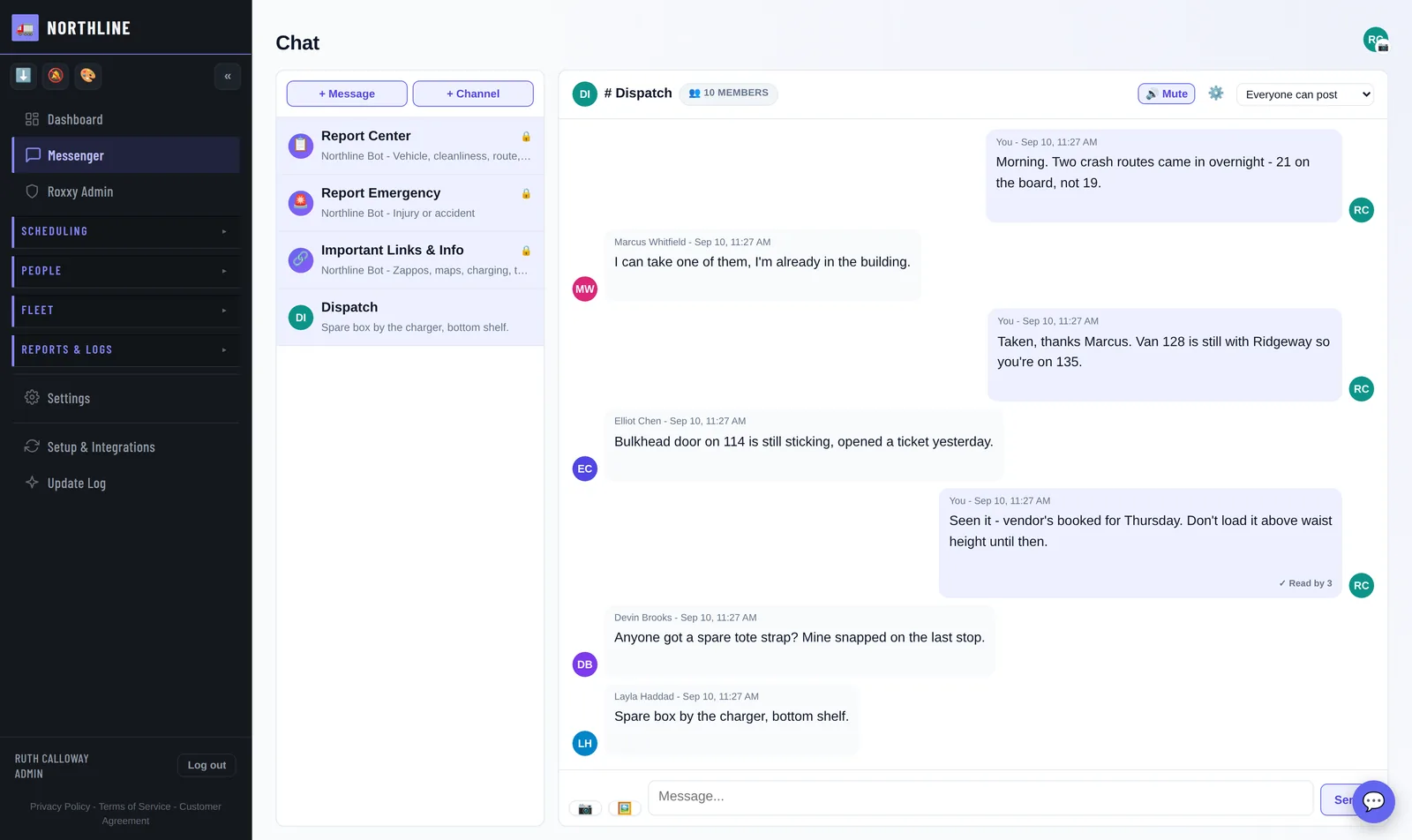
From a driver's photo to the vendor's paperwork, in one record you can still find in six months.
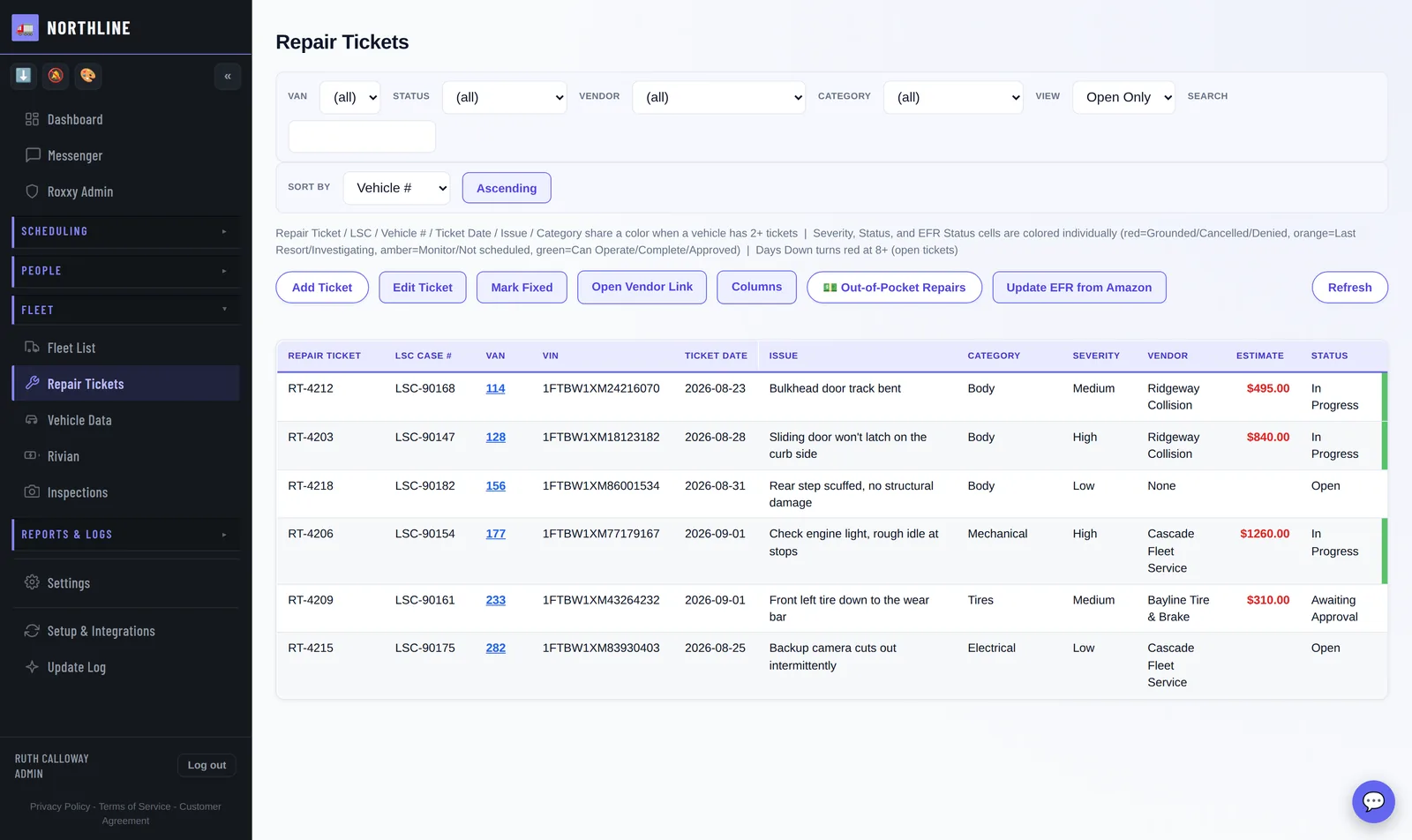
The DVIC photos your drivers already take, pulled in and kept. No second set of pictures, and the ones from last year are still here.
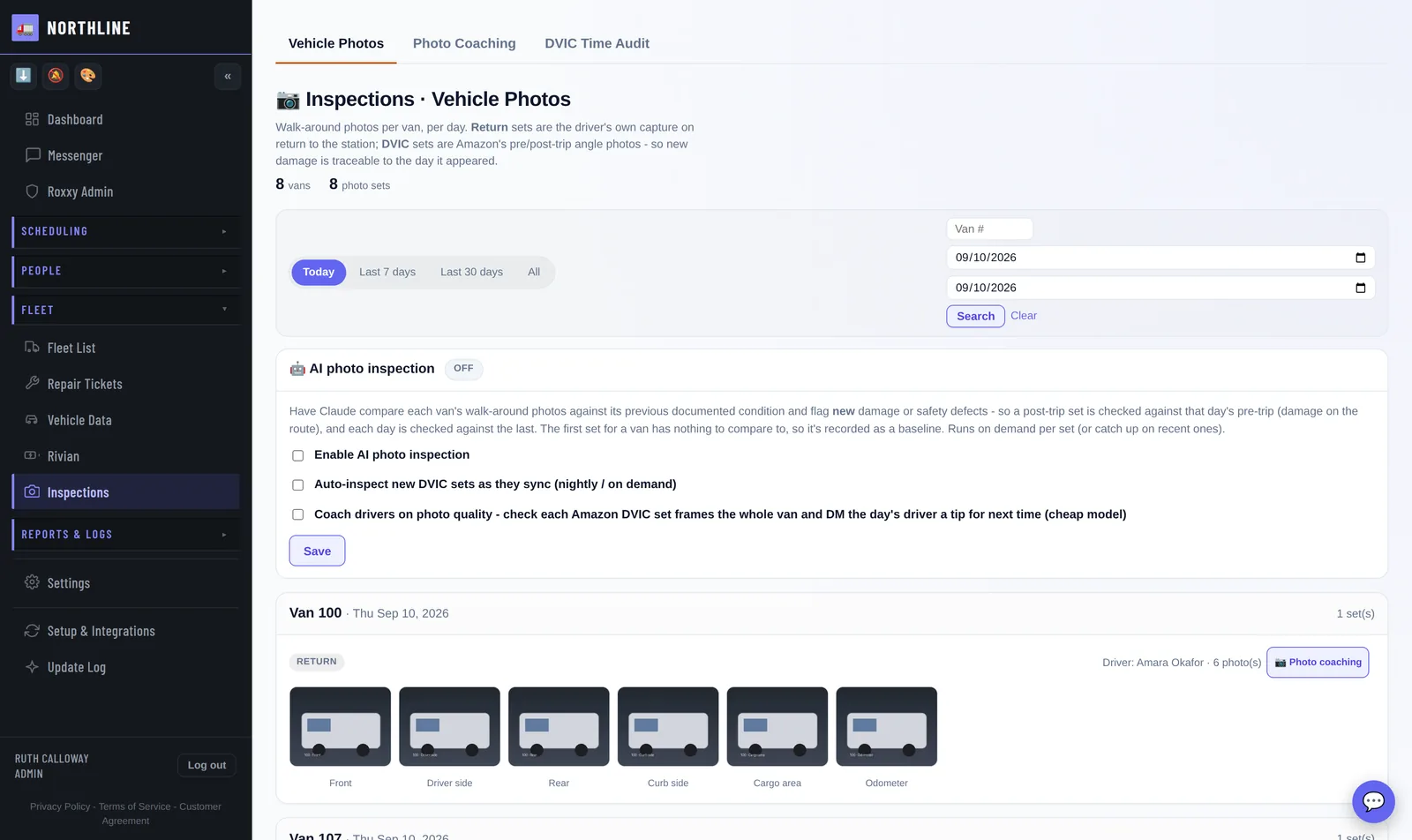
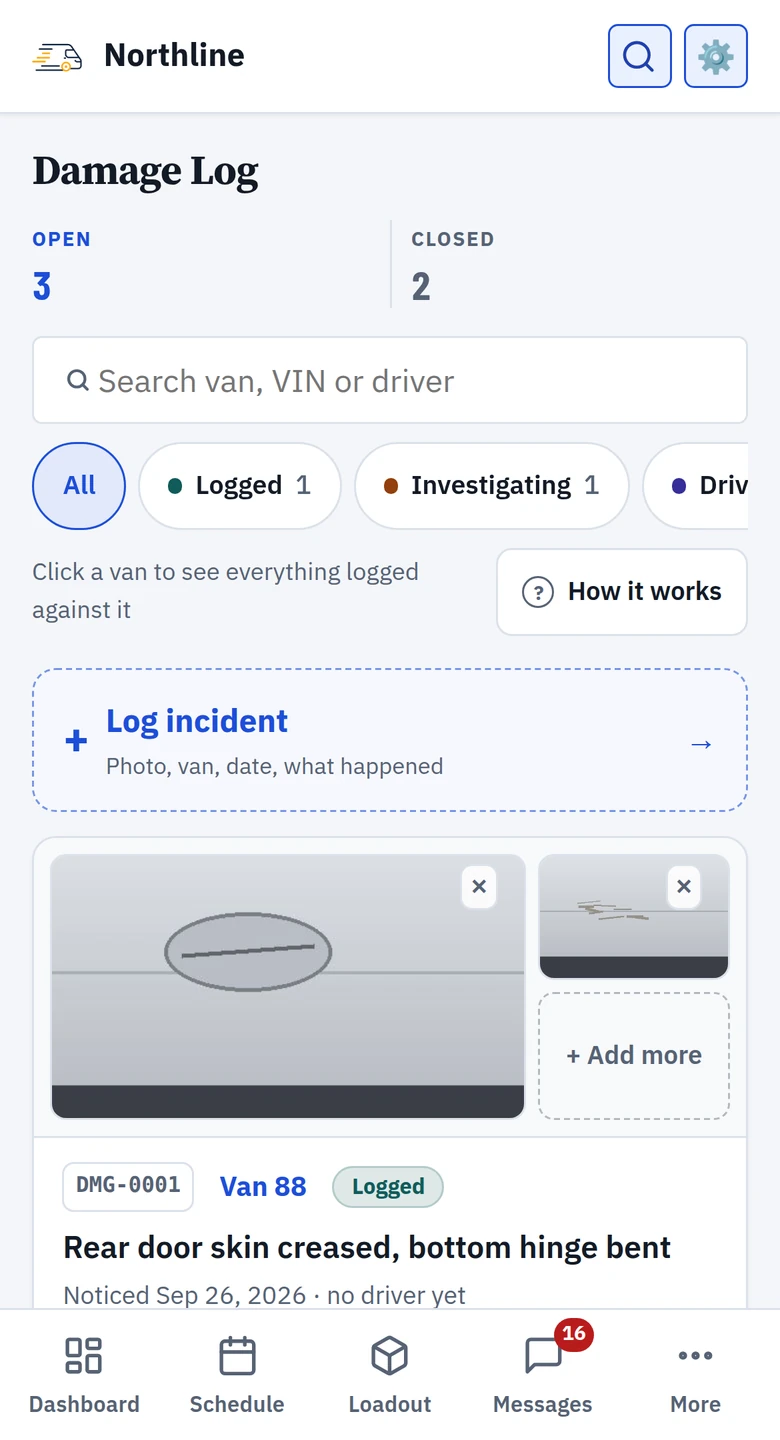
Every dent gets a case number the moment it is logged, photos first, and a track of how far it has got - logged, investigating, driver identified, charged. The one next step sits on the card, and damage nobody can be charged for is closed with a reason, not forgotten.
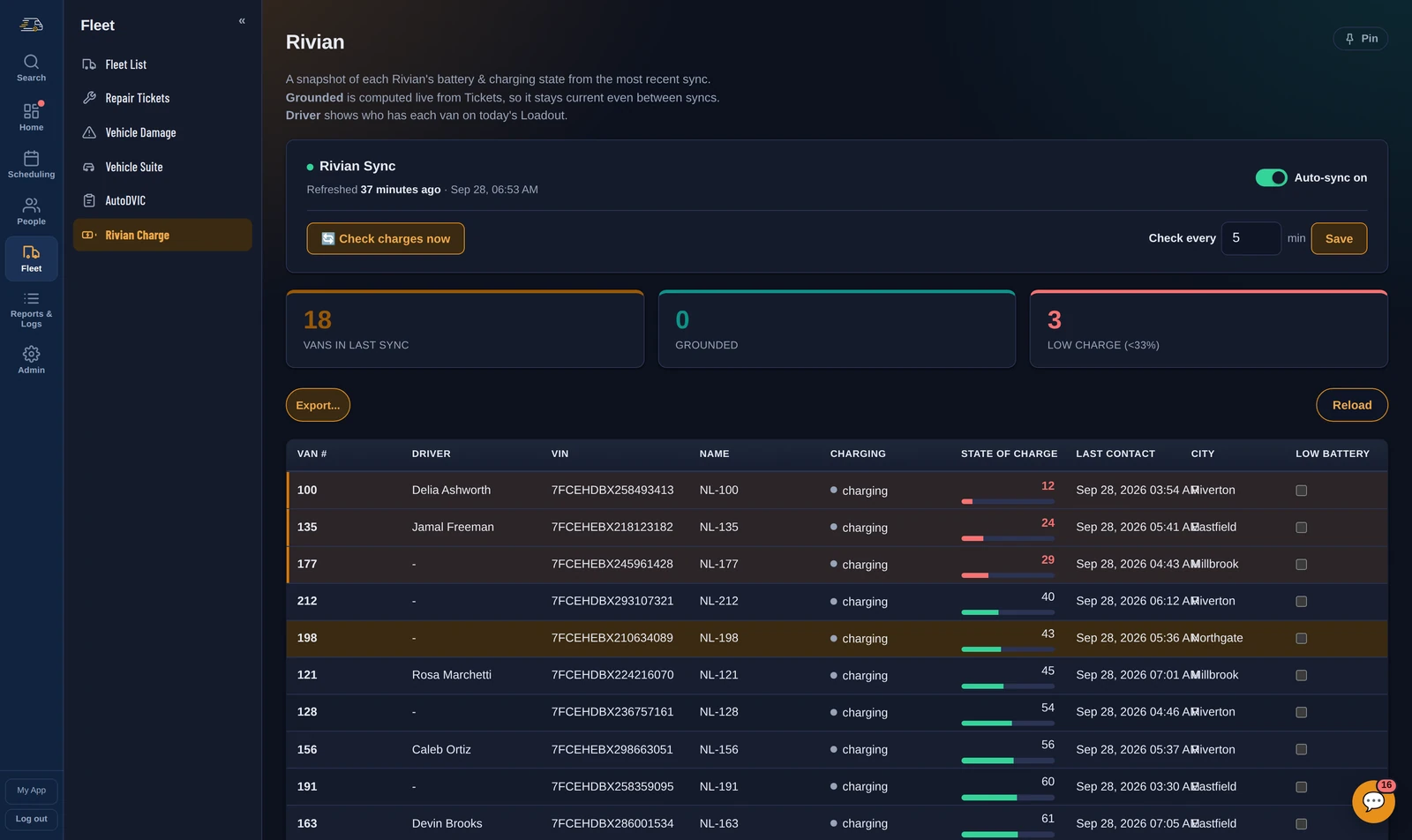
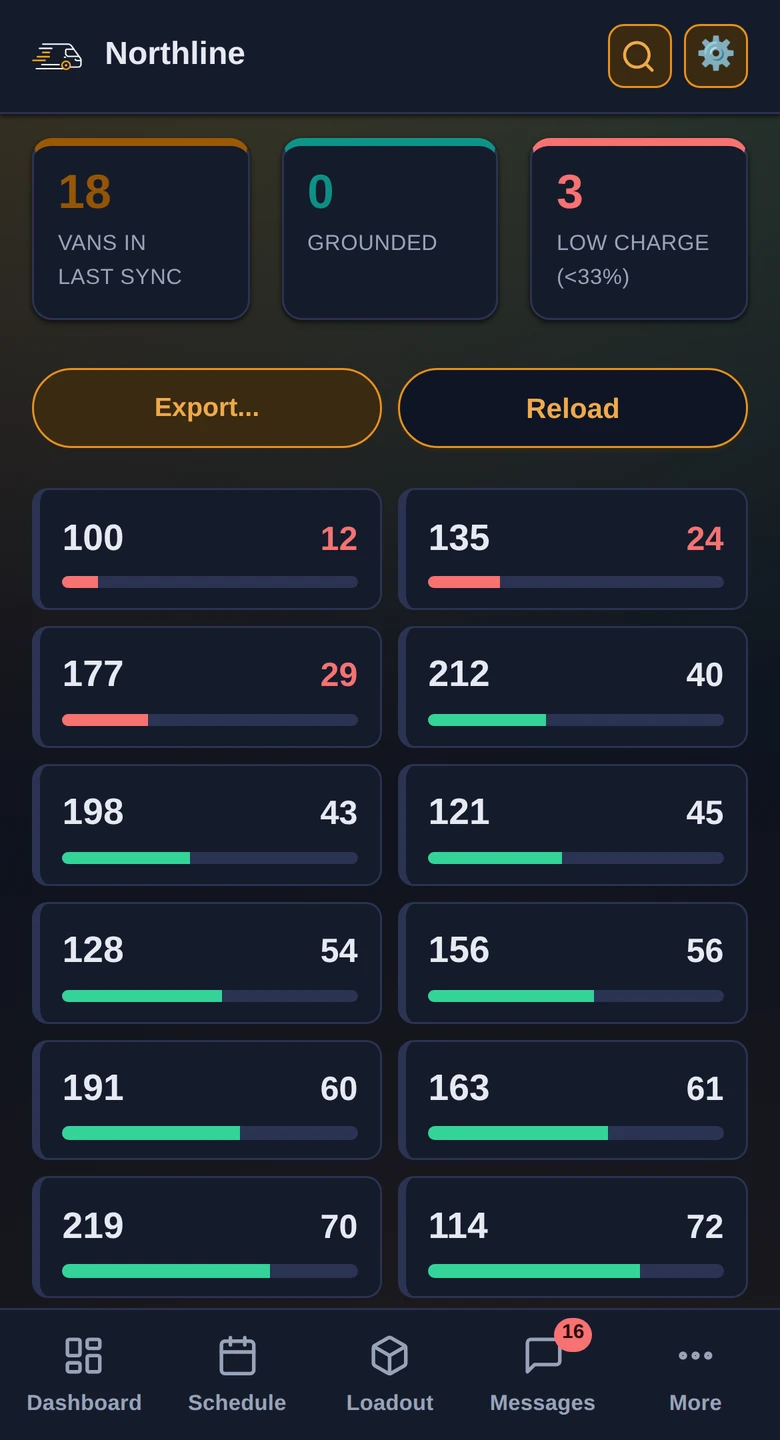
State of charge, plug status and last contact for every Rivian, so nobody finds out at 10am that three of them didn't charge.
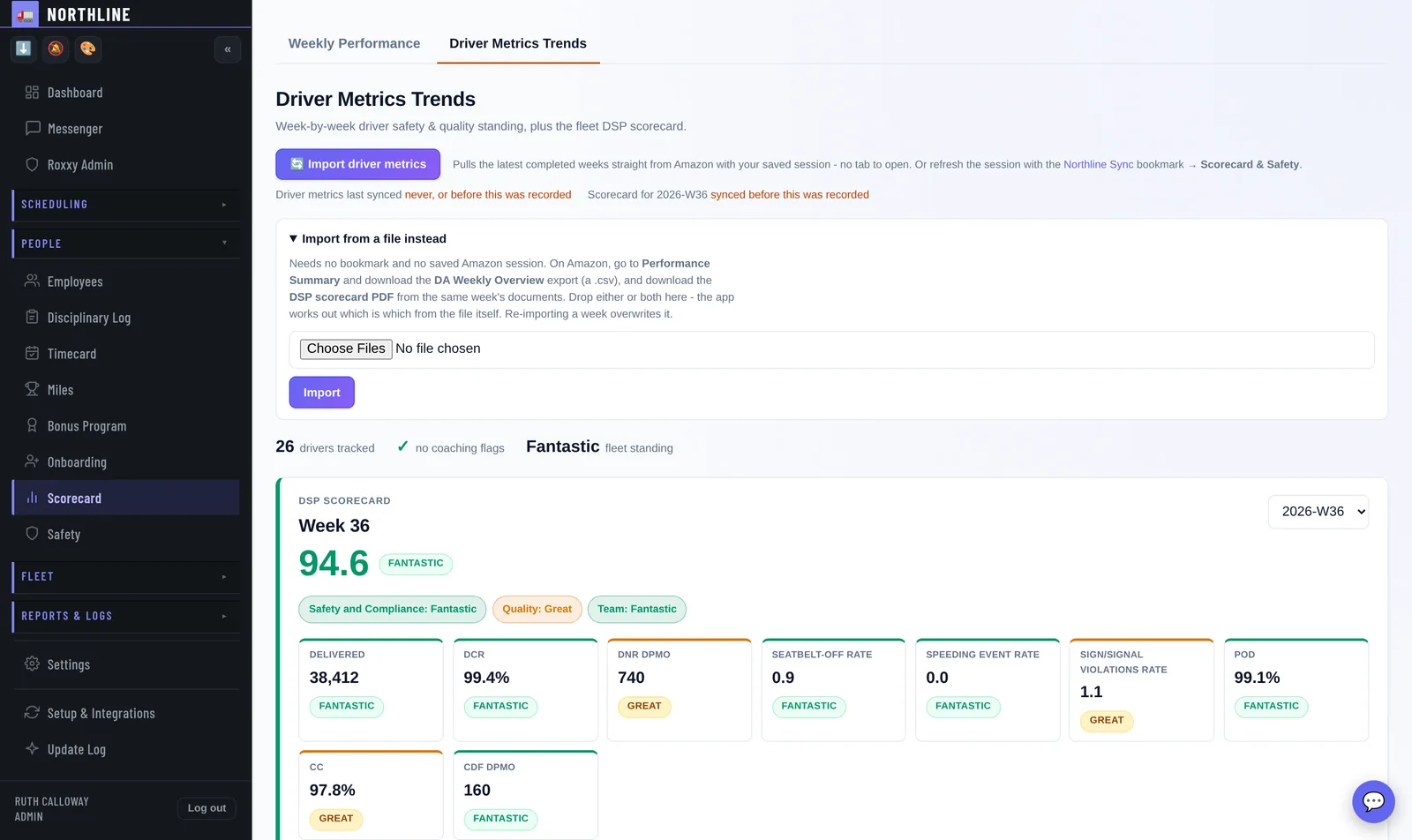
The DSP scorecard - the week's score and standing, every metric with its tier, and the areas to focus on - with every driver's own standing, week over week, under it.
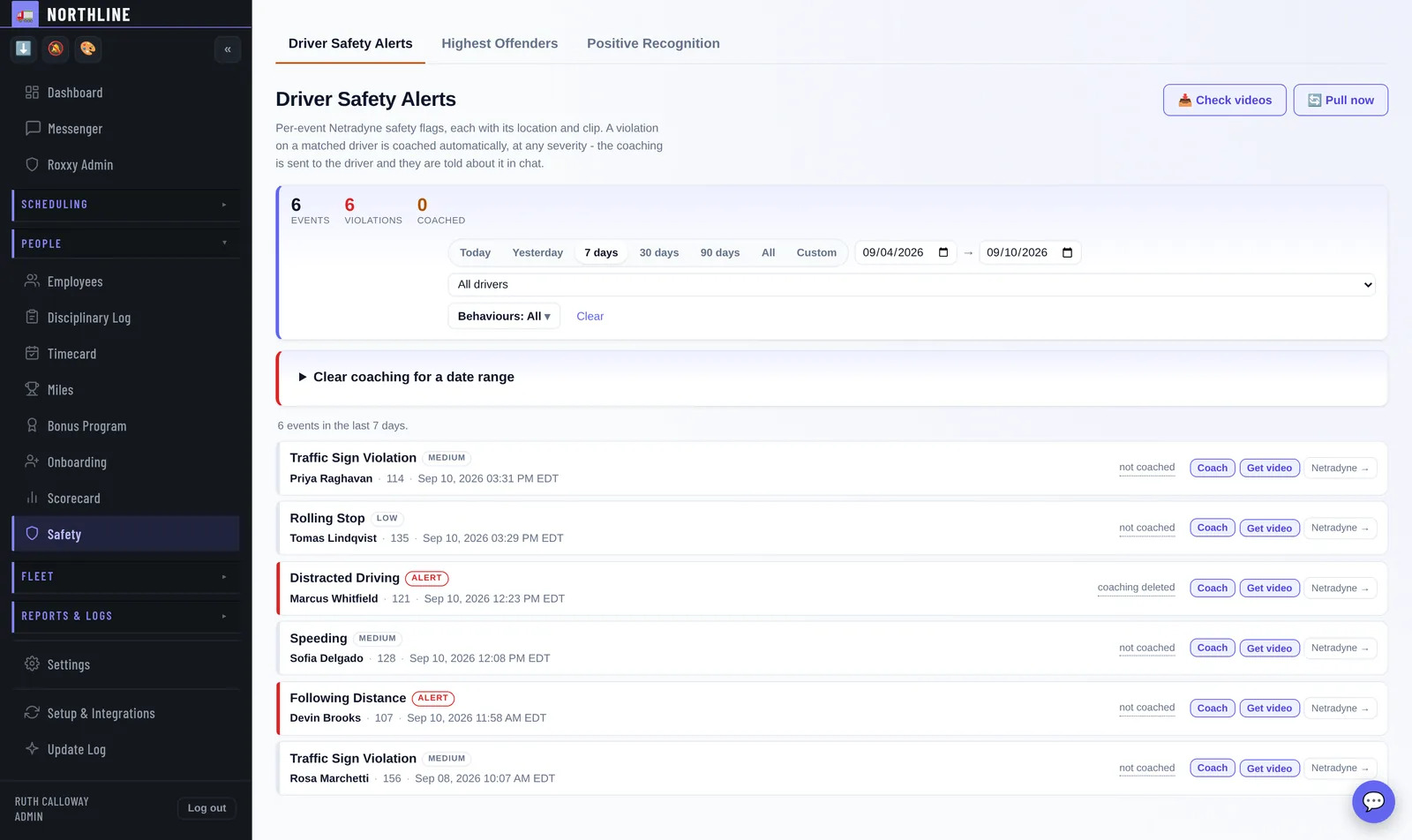
Netradyne events land here with the clip and the driver already matched. The coaching goes to the driver on its own, with a link to the footage - and you choose which behaviours coach themselves.
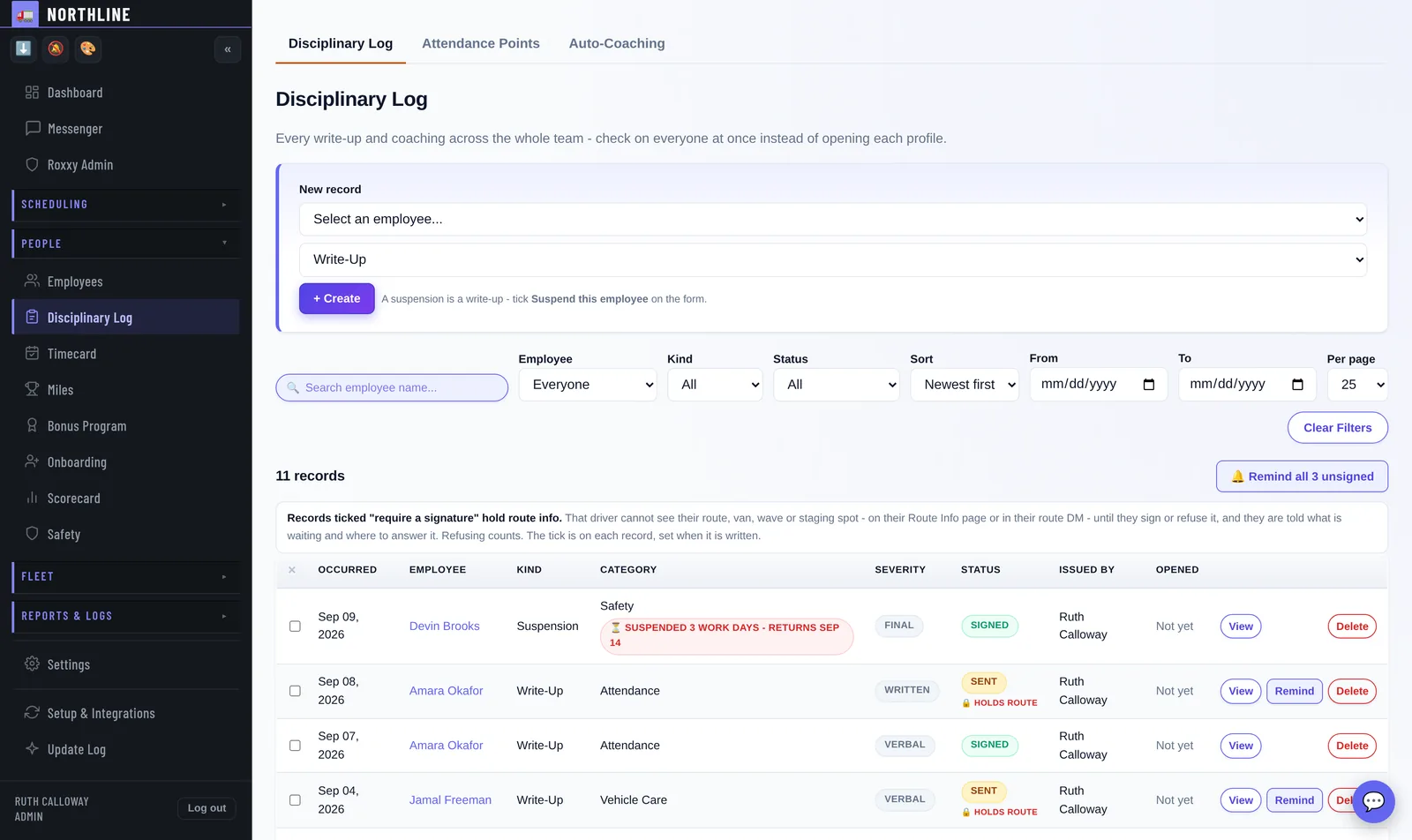
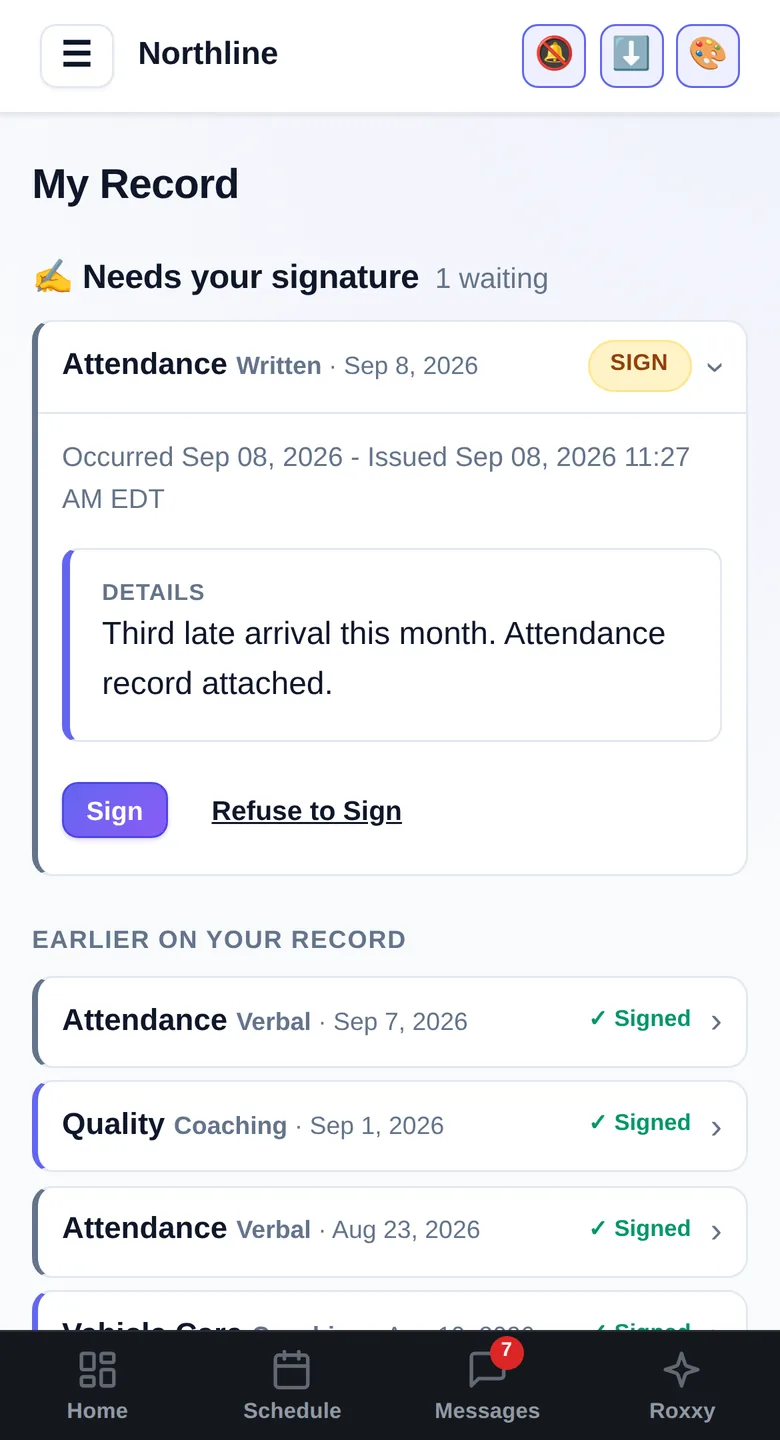
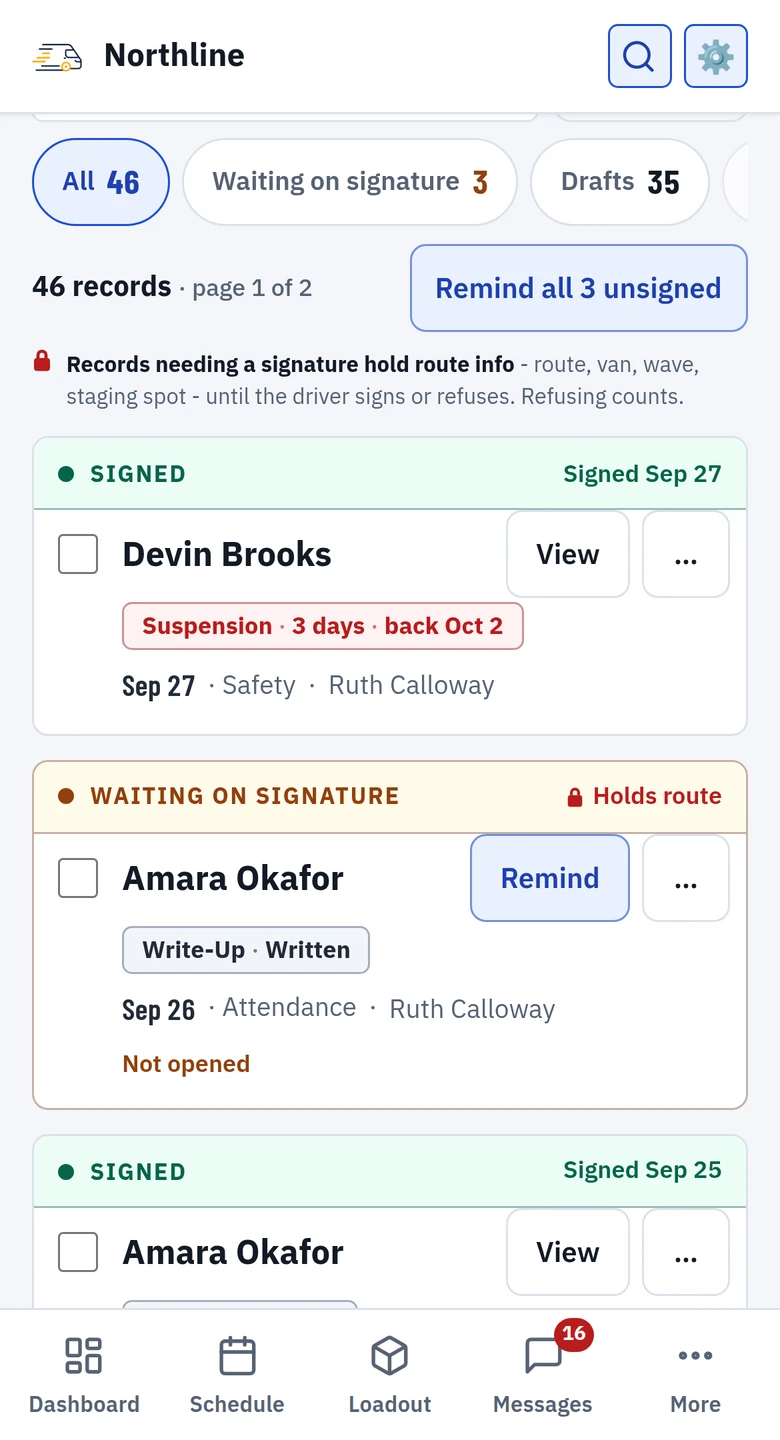
Every write-up and coaching across the team, one line each, with the next thing it needs as the only button on the row - send the draft, remind the driver, review a refusal. A record that needs a signature holds the driver's route info until they sign or refuse.
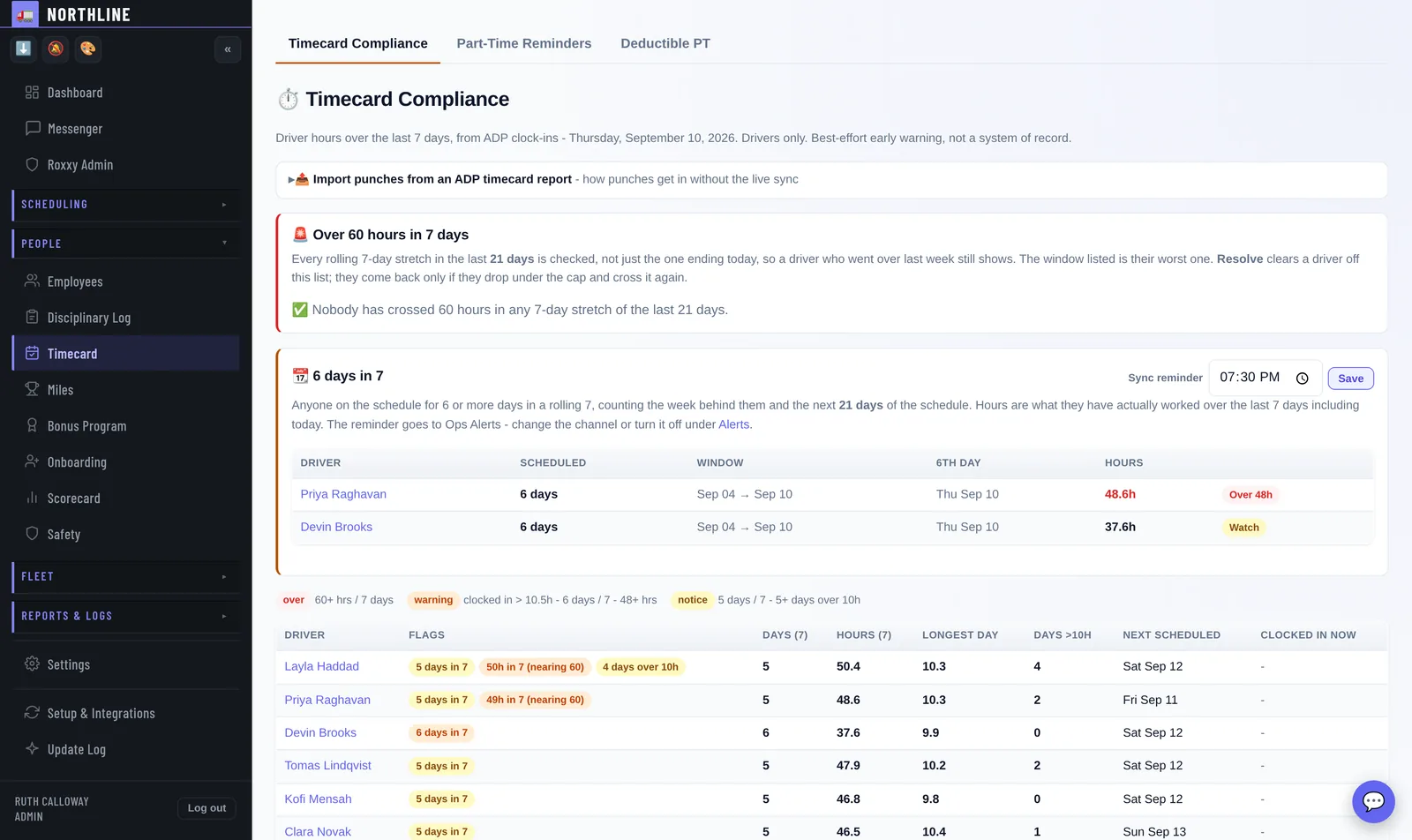
Missing punches, six days in seven, sixty hours in seven and ten-hour days, surfaced the day they happen - not the day payroll runs.
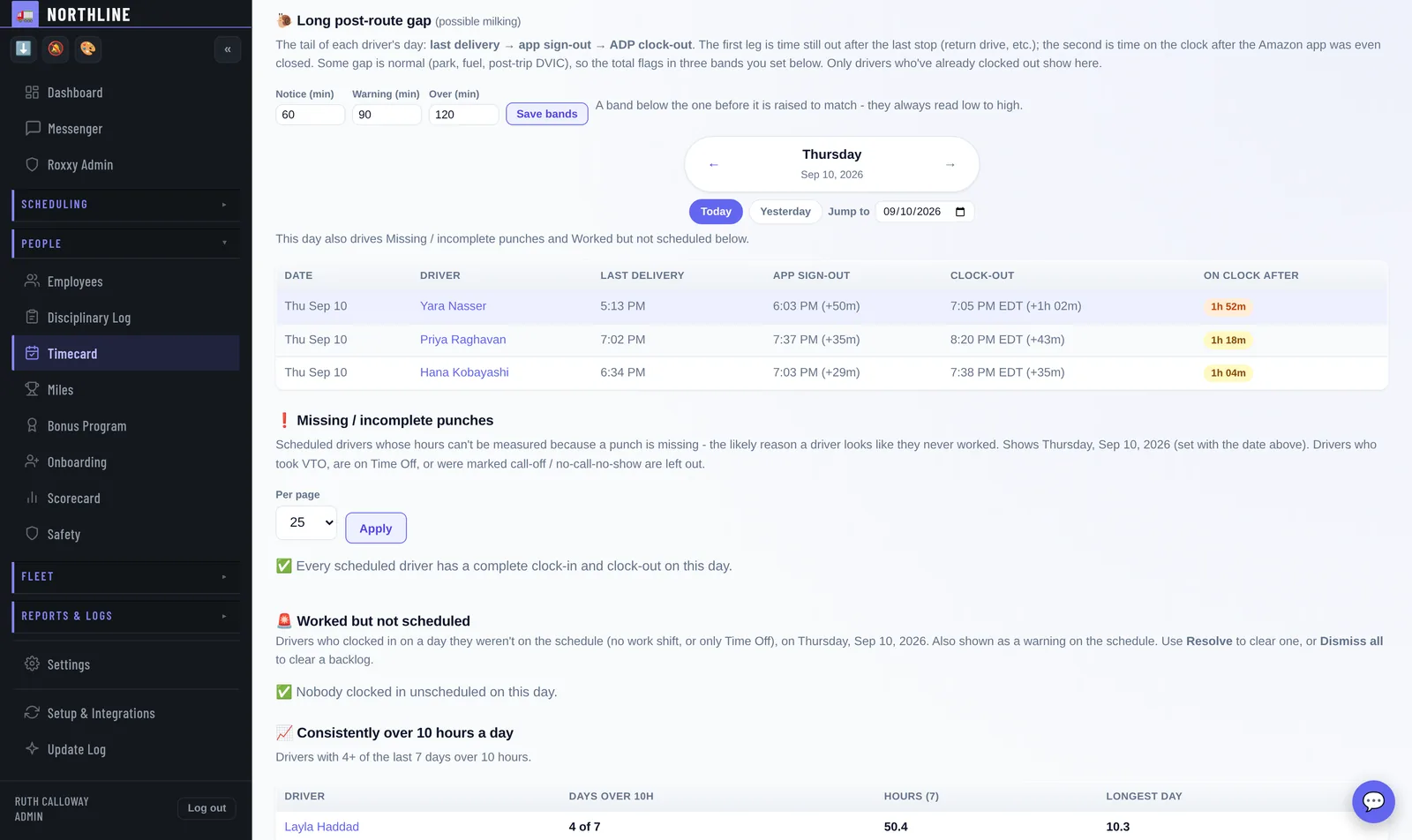
Last delivery, app sign-out, clock-out - side by side. An hour of paid time nobody can account for stops being invisible.
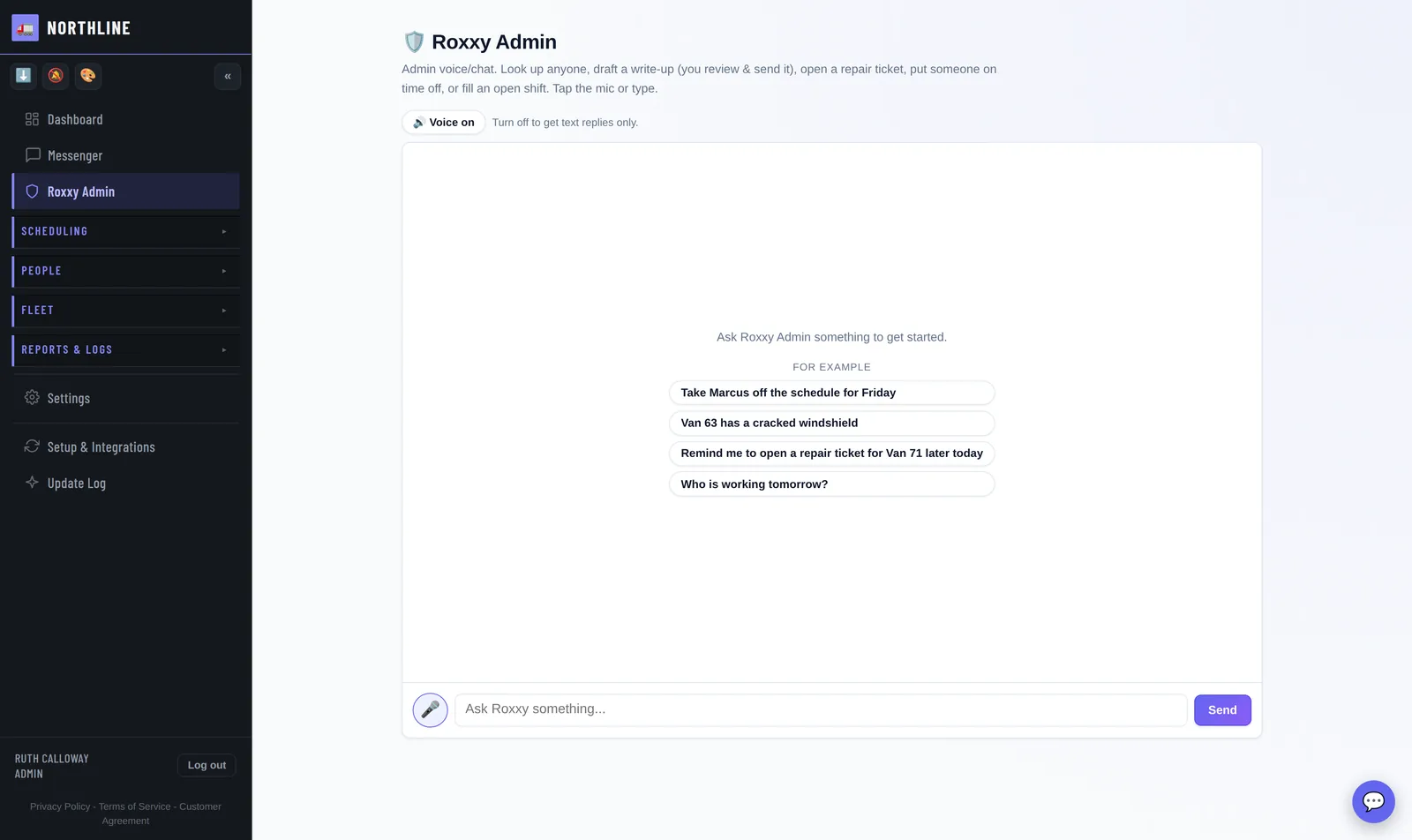
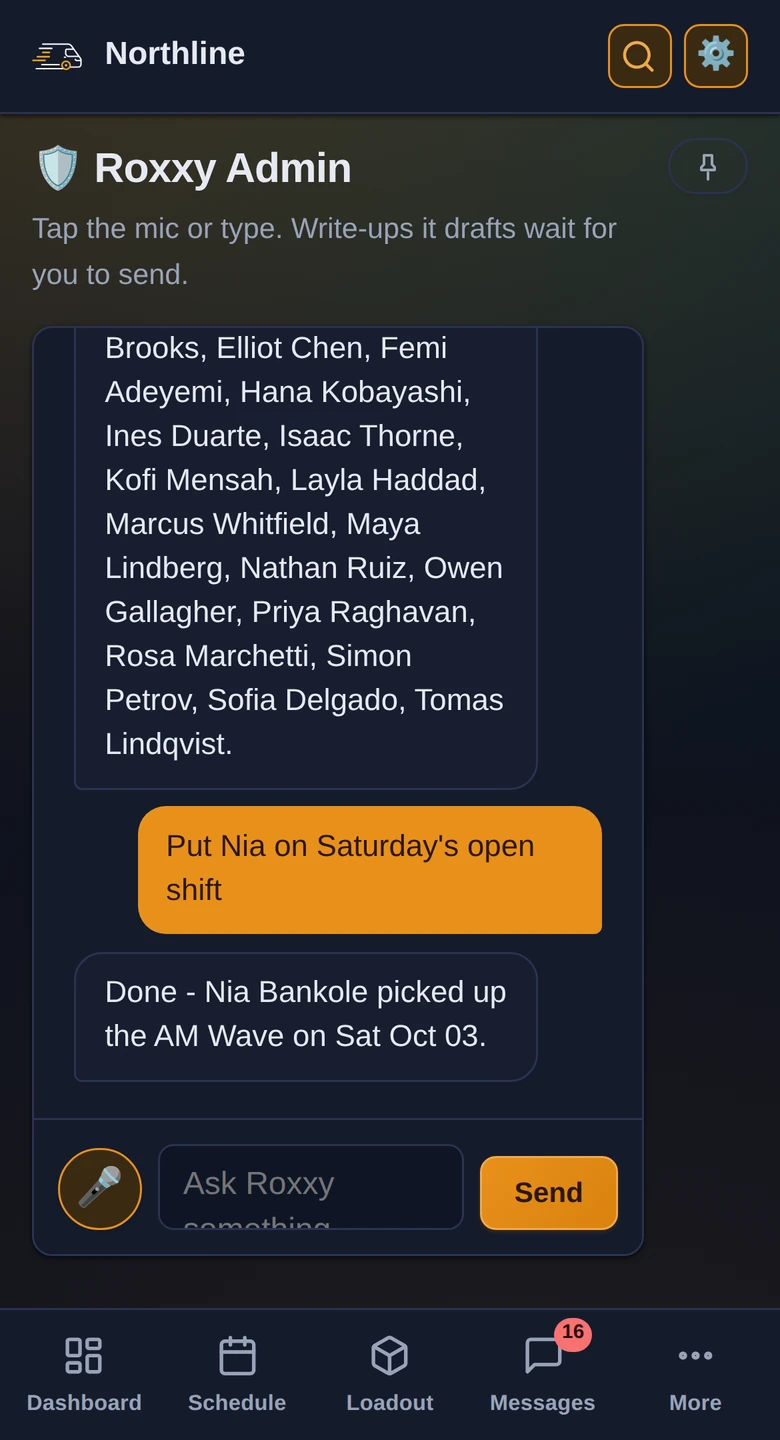
Ask for anyone's record, draft a write-up, open a repair ticket or fill an open shift - by voice, mid-shift, without leaving the board.
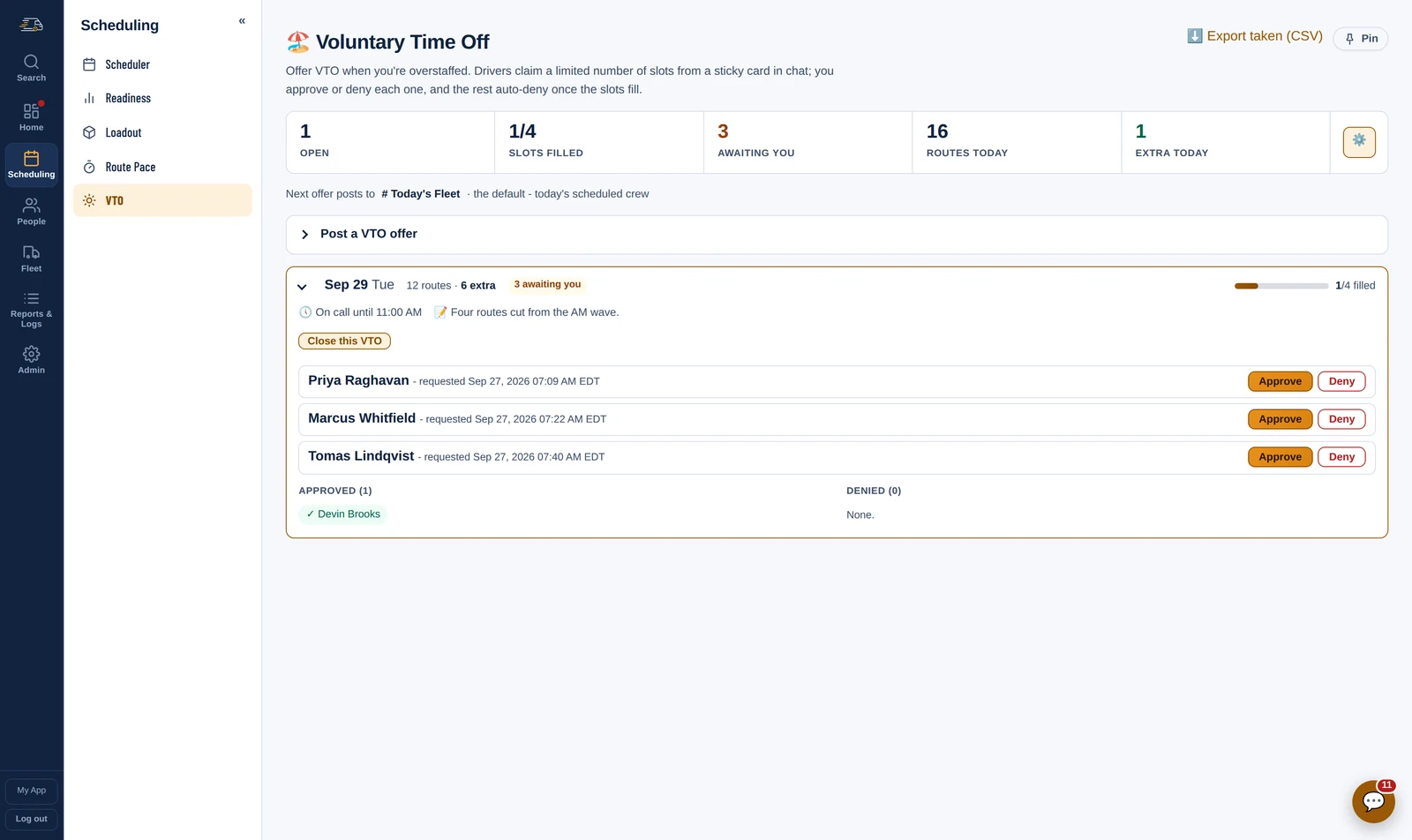
Overstaffed by three? Post the slots, drivers claim them from their phone, and the board fills in as they do - no refresh, no ringing round.
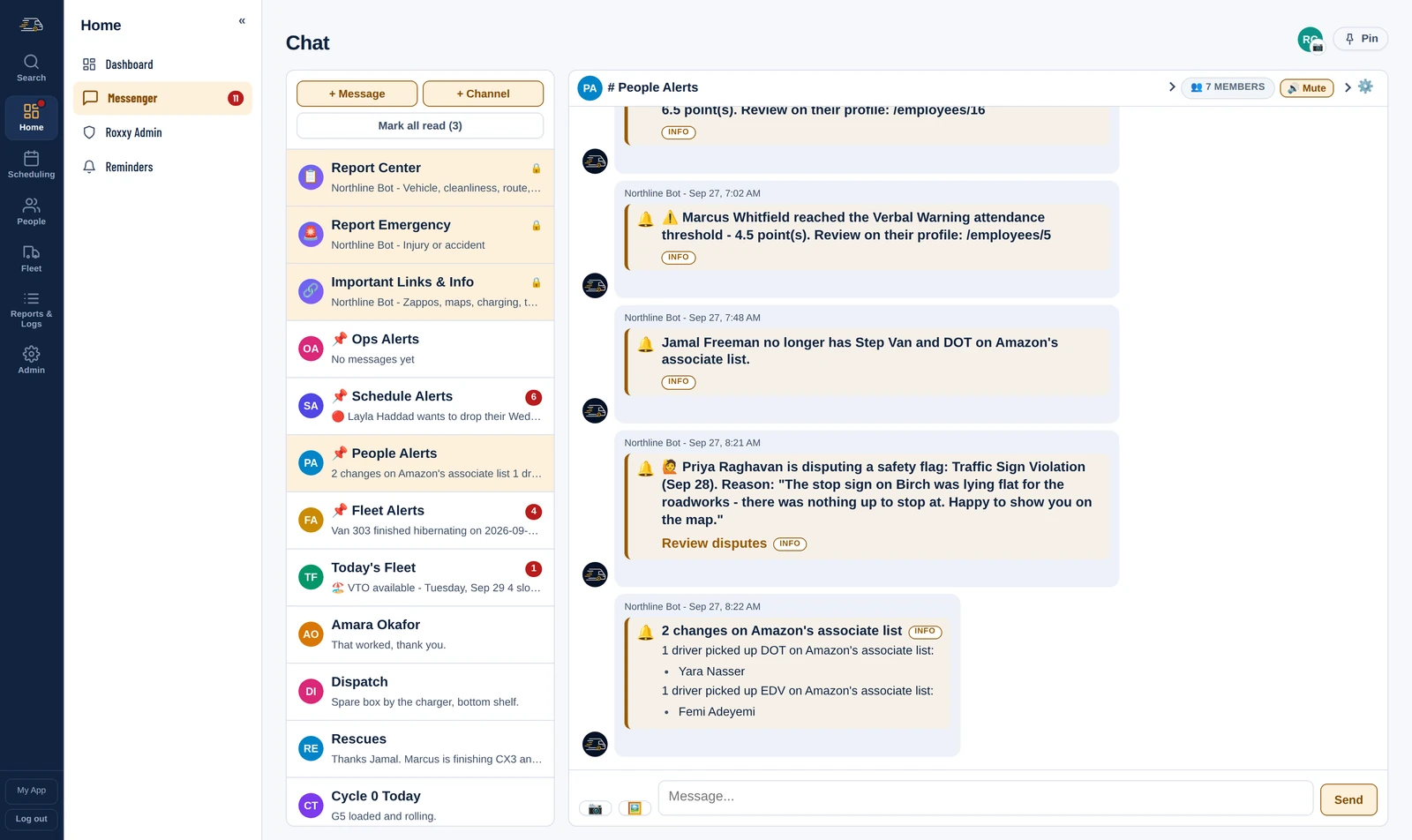
A driver who lost Step Van and DOT, one newly on the EDV, a camera flag disputed - each one line, the morning Amazon's list changes.
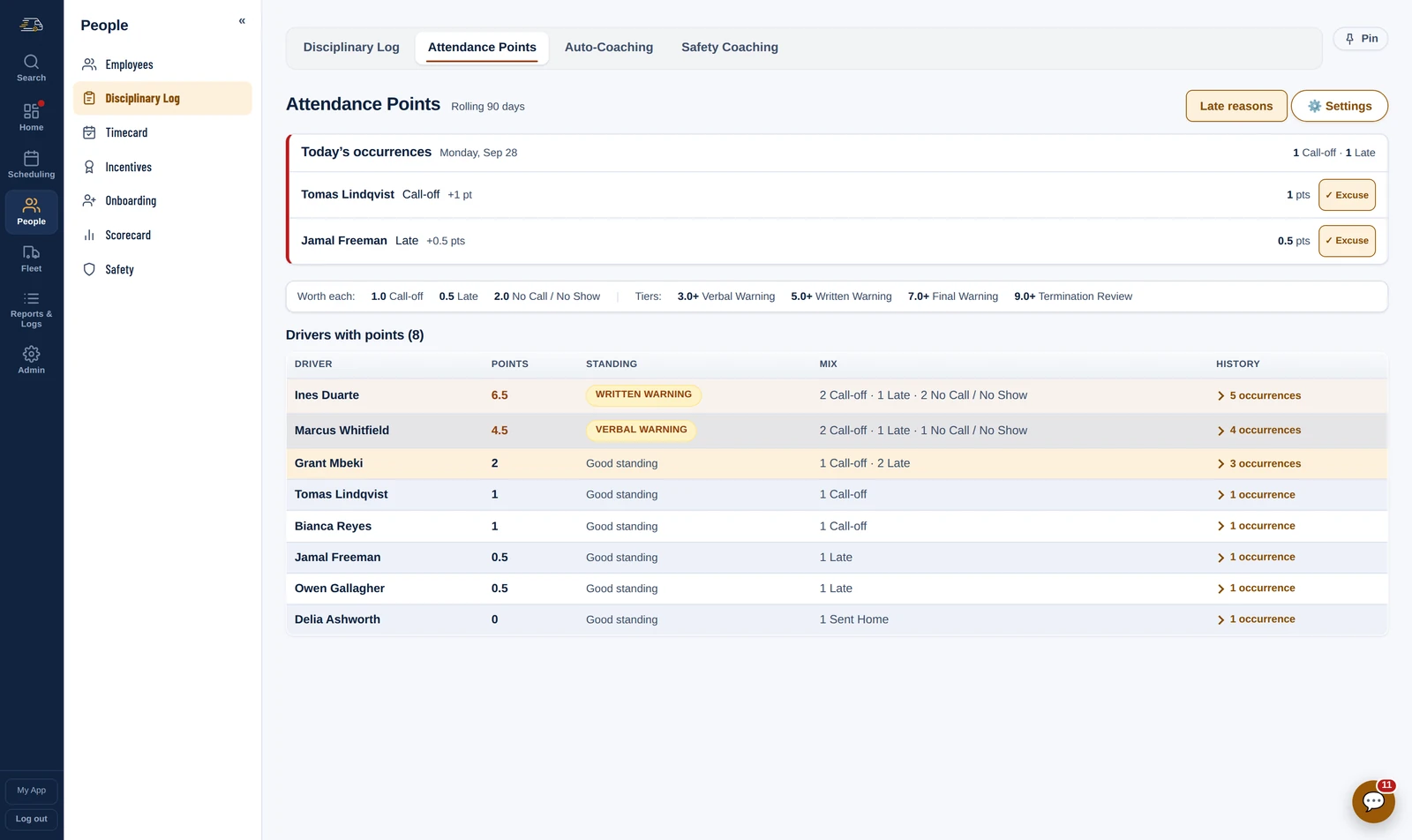
Today's call-offs and lates at the top, a rolling ninety days below, and the tier each driver has reached. Excuse one in a click.
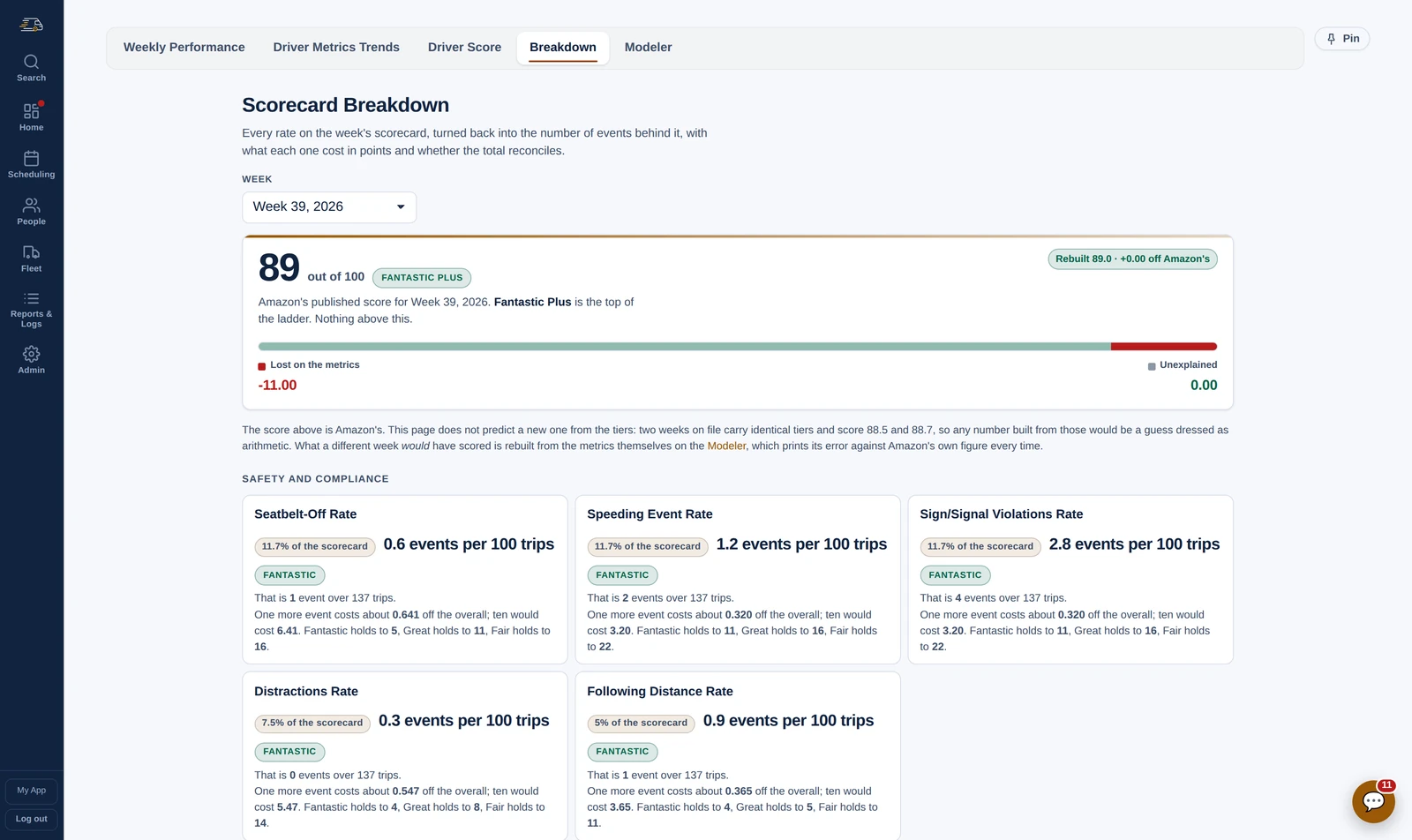
Every rate on Amazon's scorecard turned back into the events behind it, with what one more would cost and how many each tier can hold.
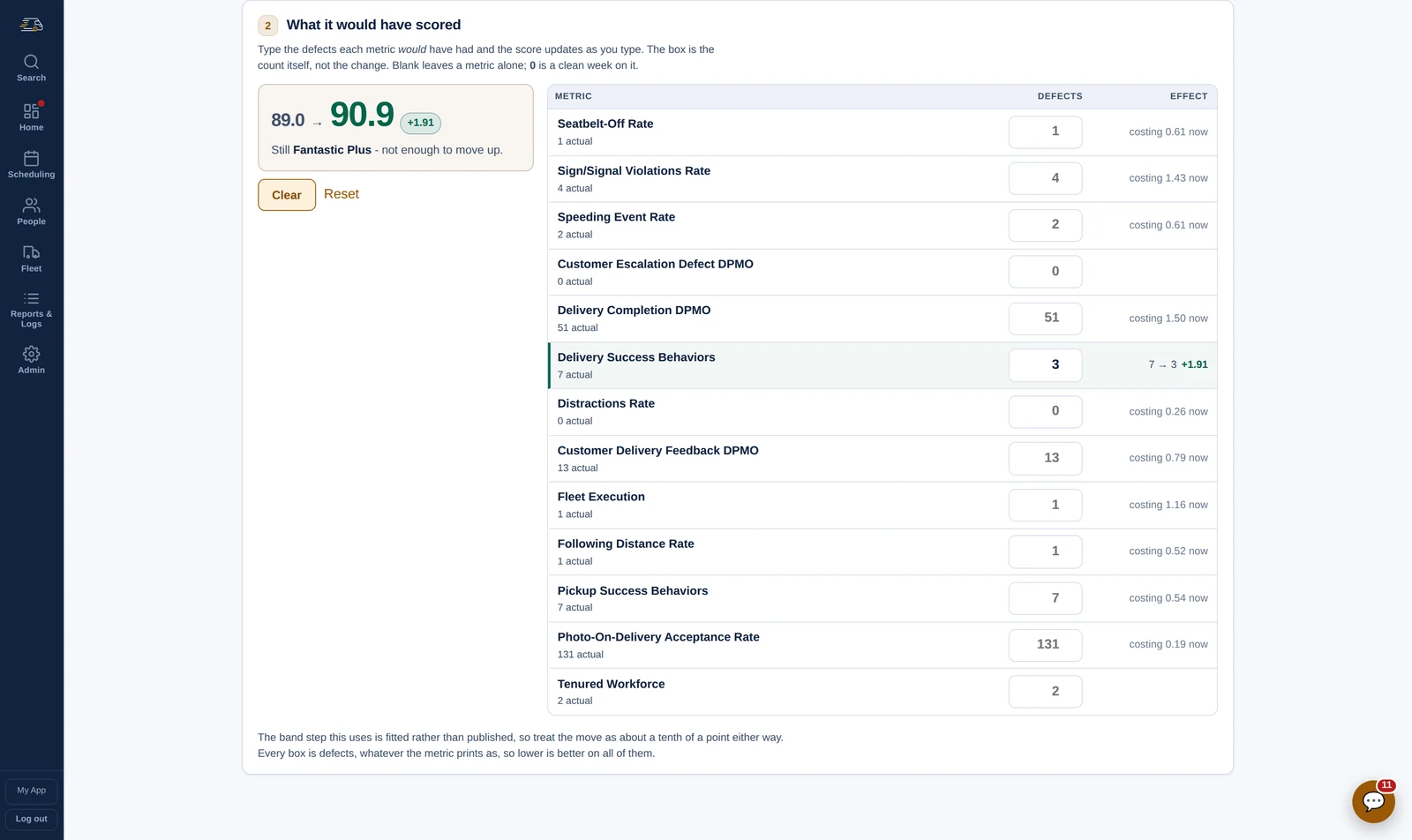
Type the defects you wish you had had. The score and the standing move as you type.
Where this week's scorecard is heading, every day, before Amazon publishes it: the score, the standing and how far it is from the Fantastic Plus line. Each metric says how many more events it can take, the drivers costing the most are listed to coach, and the office gets it as a post at 7 PM.
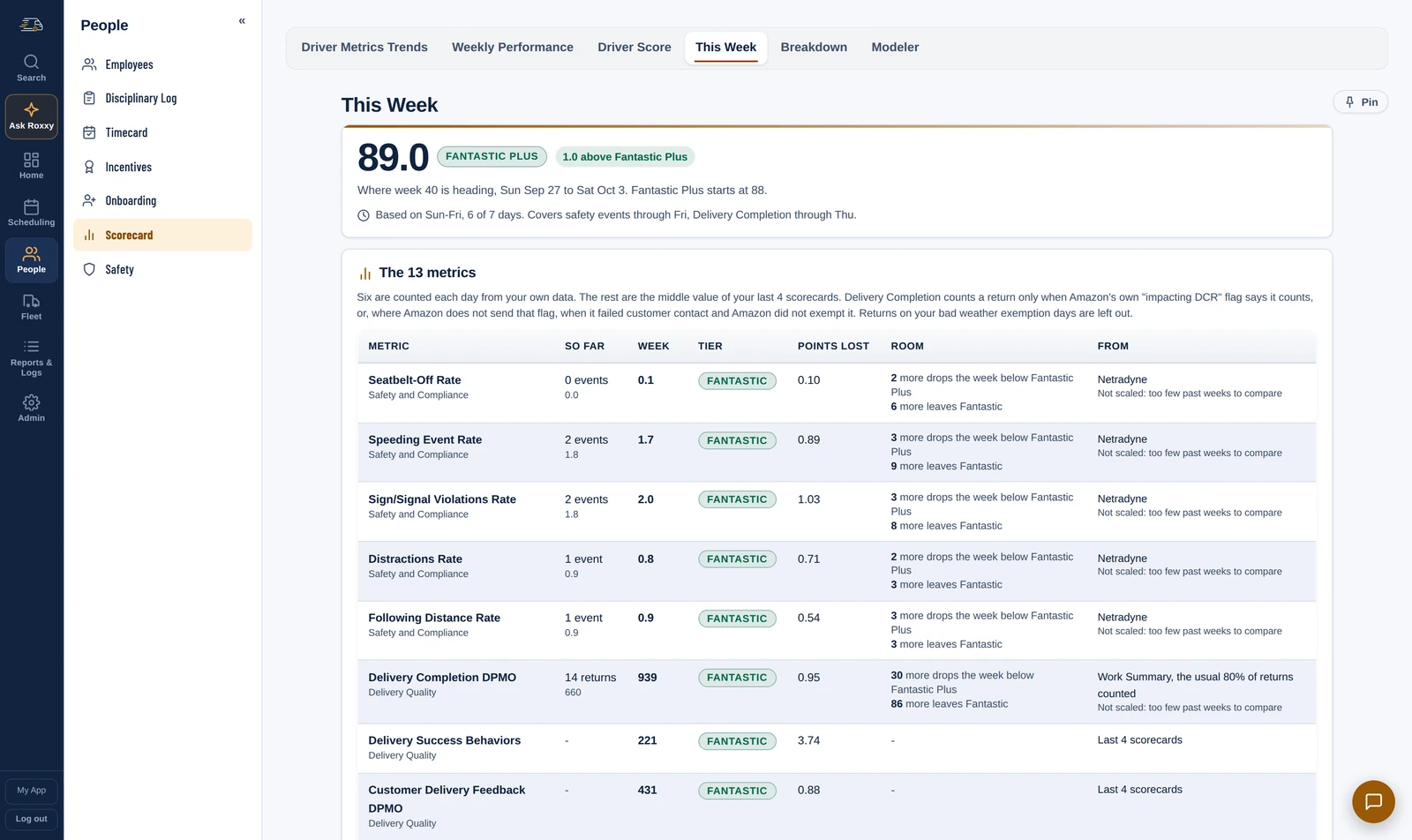
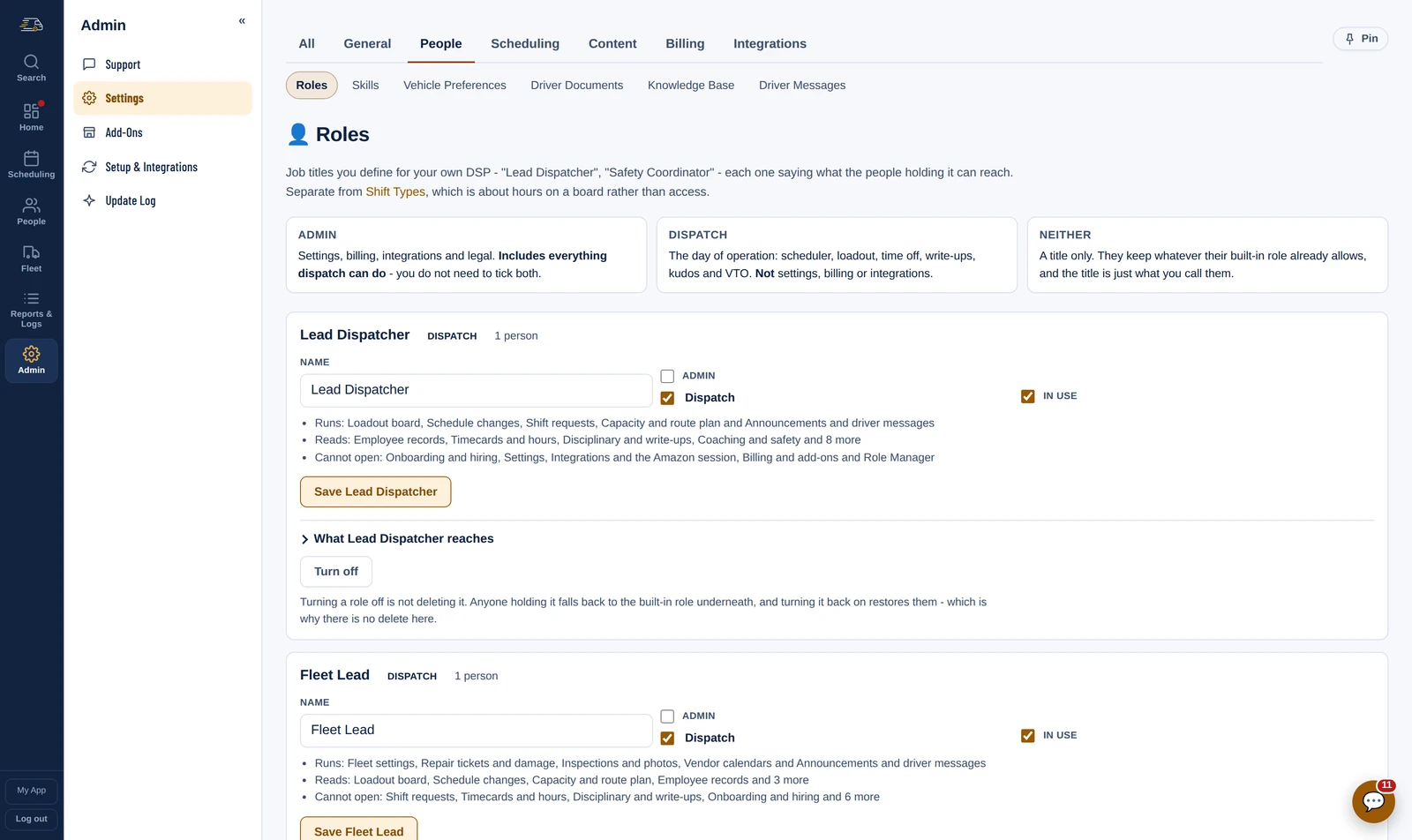
Name the jobs your station has and say, per responsibility, whether each can change it, read it or not open it at all.
In the driver's hand
Their schedule, their route, their hours and their scorecard, in an app with your name on it.
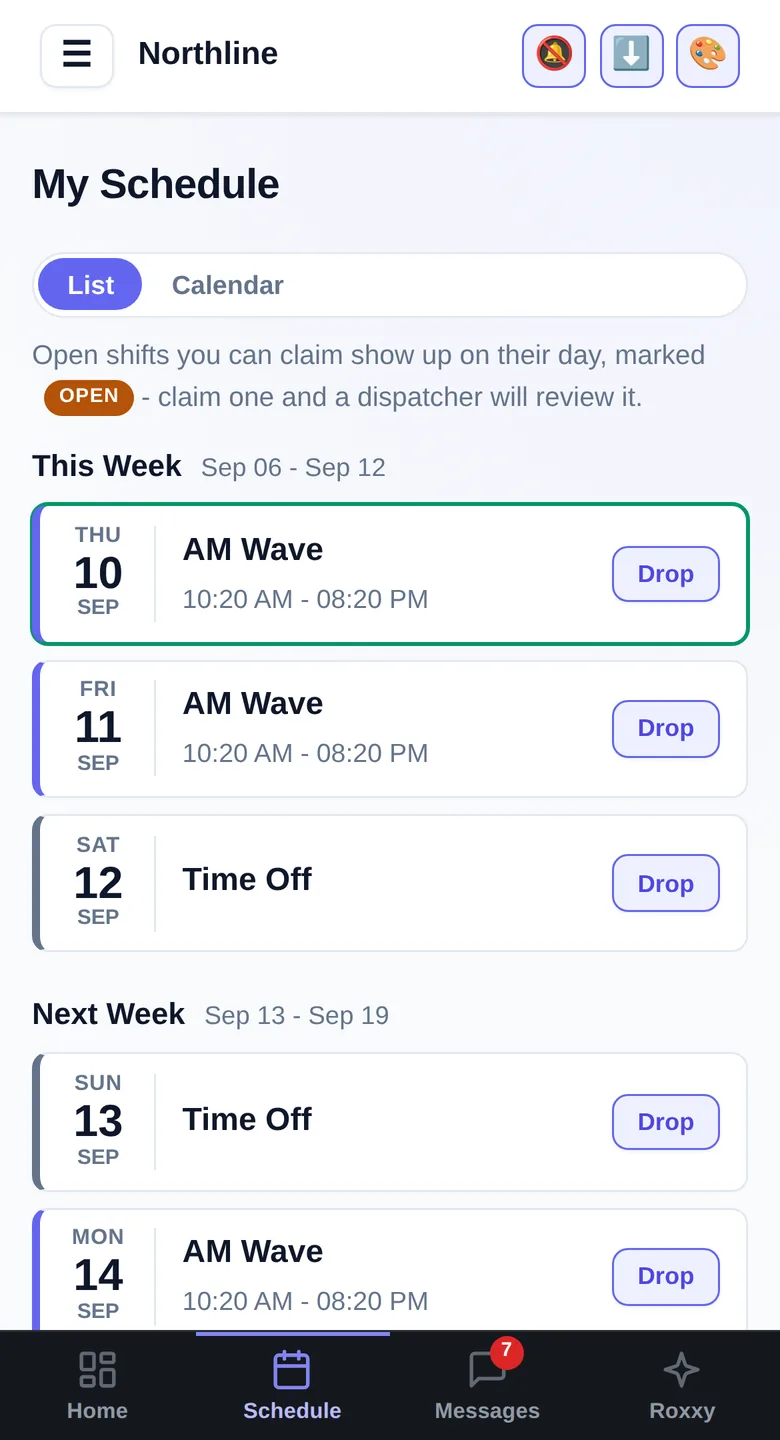
Their week, their wave, their hours. They pick up an open shift or release one they cannot work, right here - dispatch approves it instead of fielding the call.
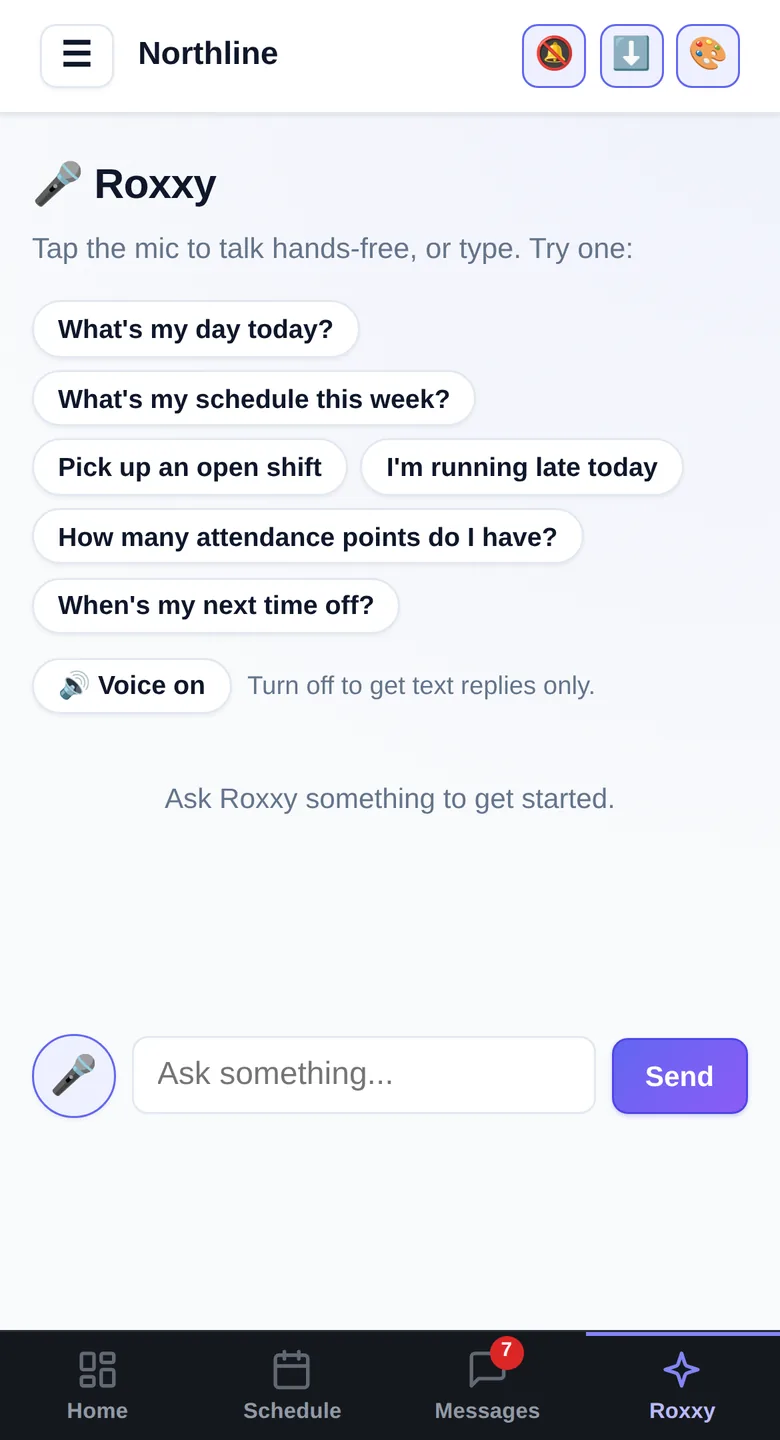
Hands-free. “What's my day today?”, “I'm running late”, “pick up an open shift” - answered without a phone call.
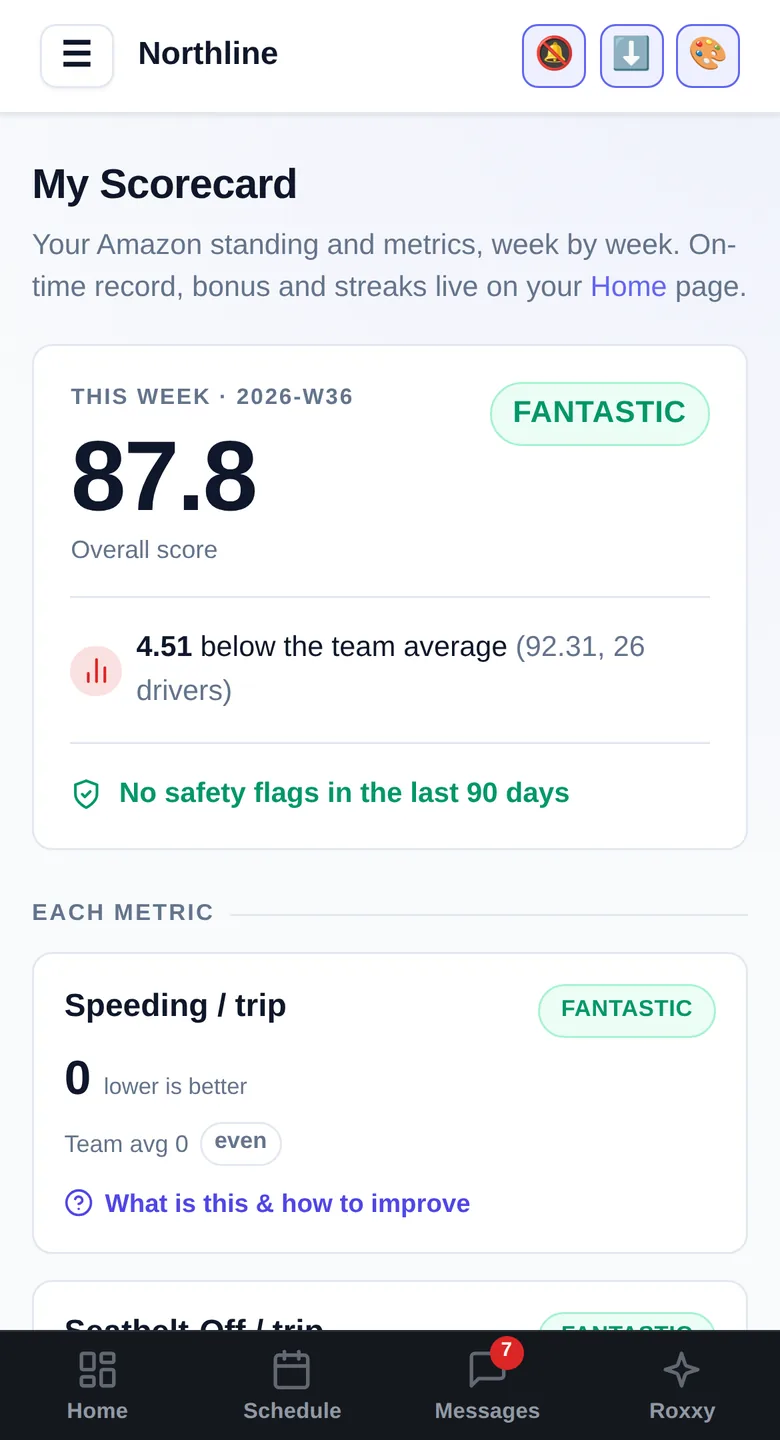
Their own metrics and safety flags, compared against the team - without waiting for a screenshot from someone.
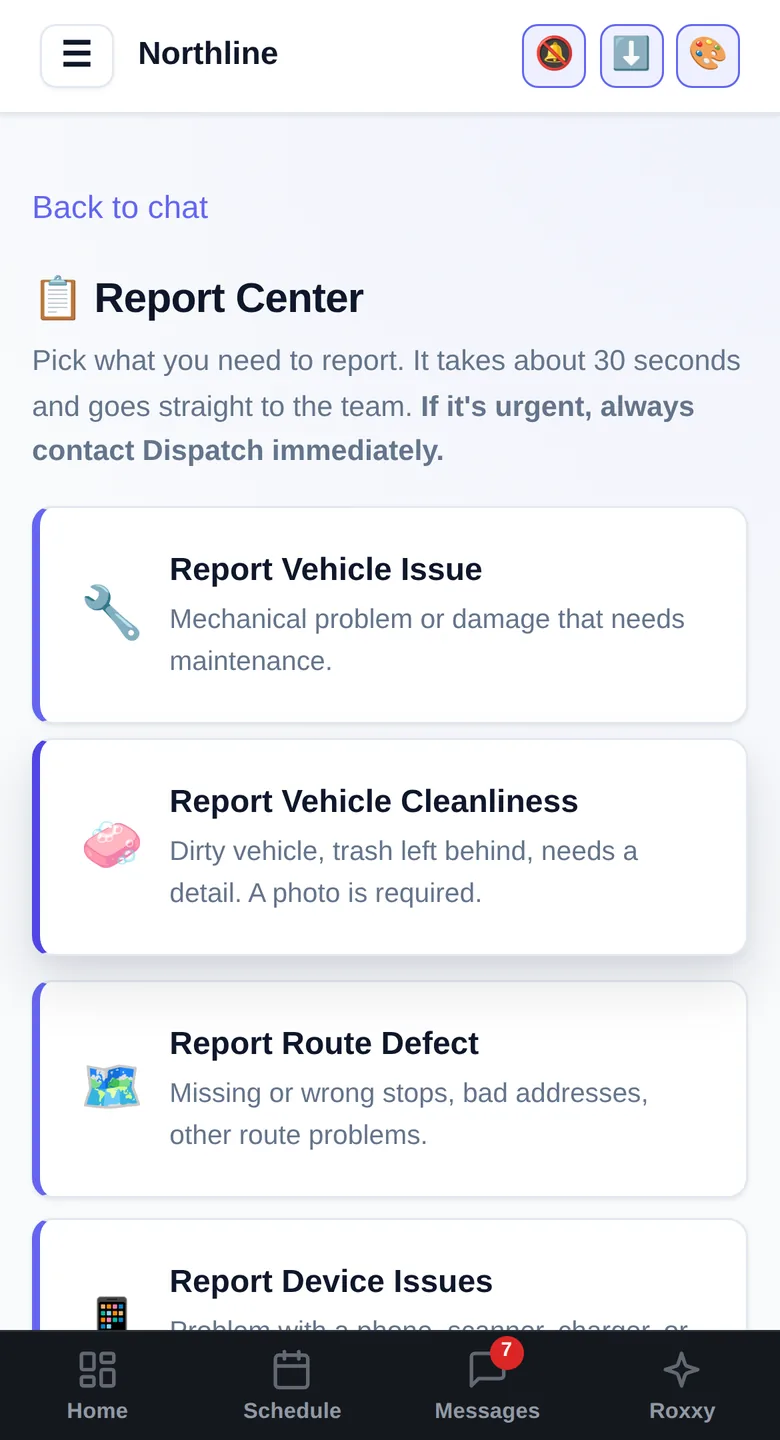
Vehicle issue, accident, cleanliness, road report - the right form in about thirty seconds, straight to the team.
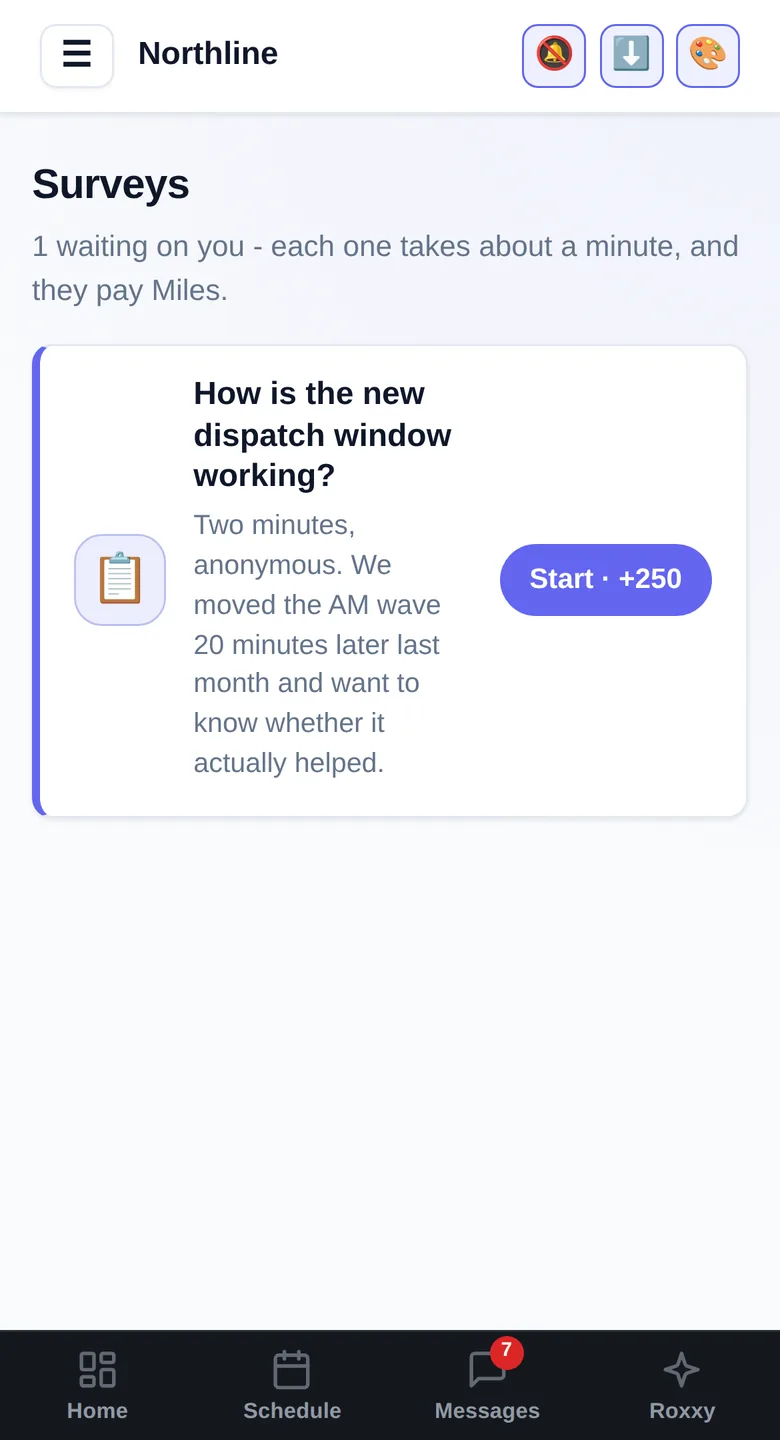
Build a survey, send it to the fleet, and actually get answers back - anonymous if you want, and finishing one pays Kudos. The only reliable way to find out what your drivers think before they quit.
Every coaching, write-up and safety flag on them, with what needs signing at the top - so nothing is a surprise in a meeting.
Today's route, wave, van and staging spot, under their hours and on-time streak, the moment dispatch sends it. If a write-up is waiting, the route waits until they sign it - so chasing signatures stops being your job.
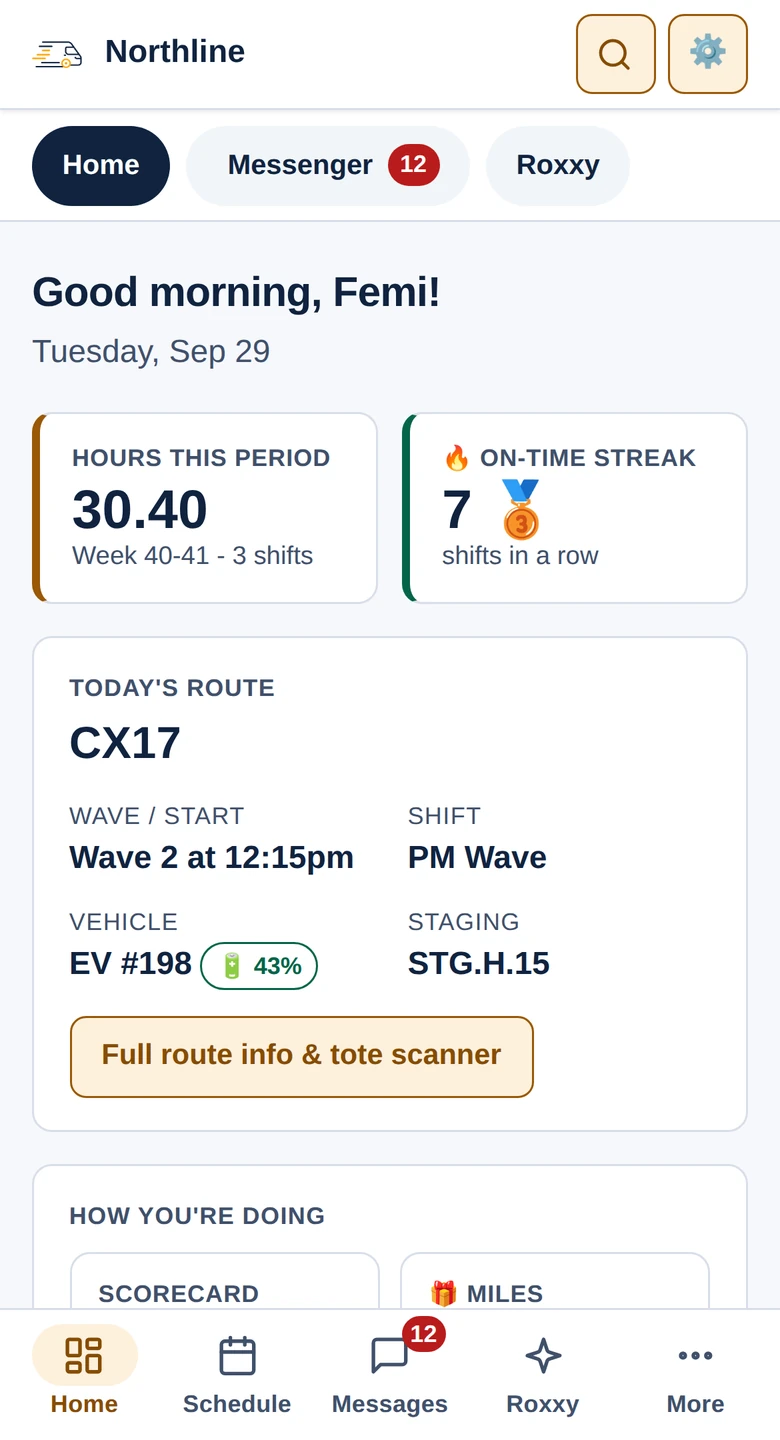
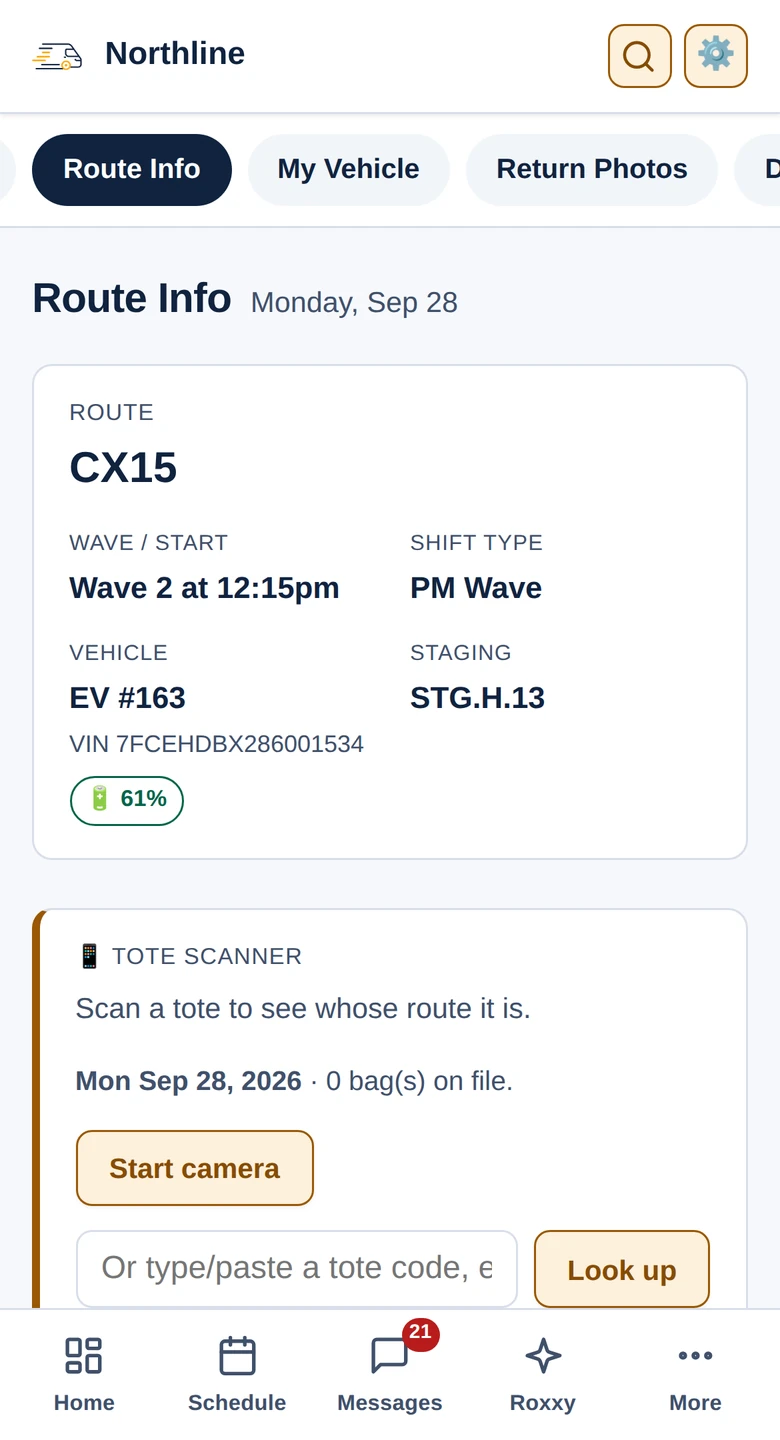
Today's route, wave, van, charge and staging spot, the moment dispatch sends it from Loadout. A tote scanner under it says whose route a bag belongs to.
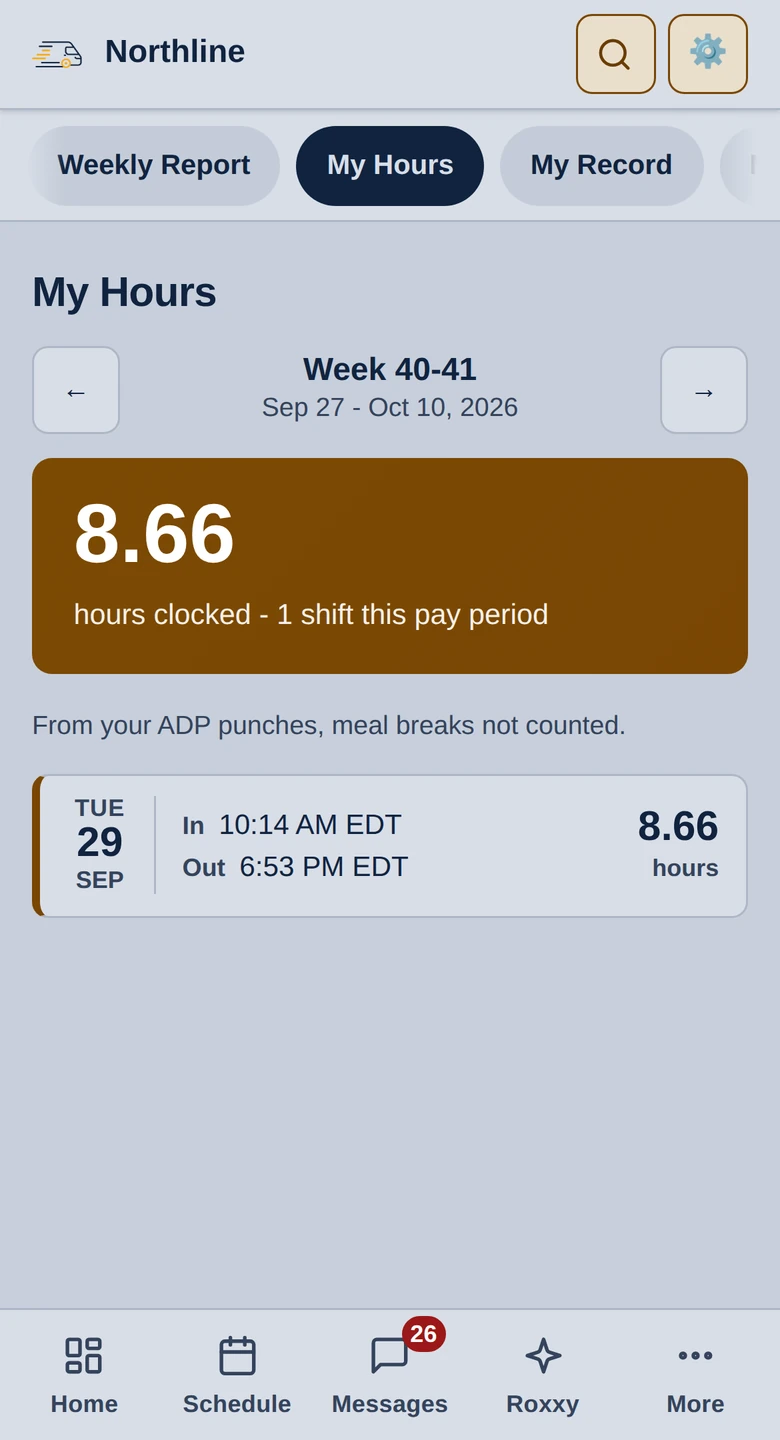
Every punch from ADP, netted for breaks, by pay period - with a day that has no clock-out flagged so they fix it before payroll does. Forget to clock in and a reminder lands ten minutes after their wave leaves; forget to clock out and they get a message to go and fix it.
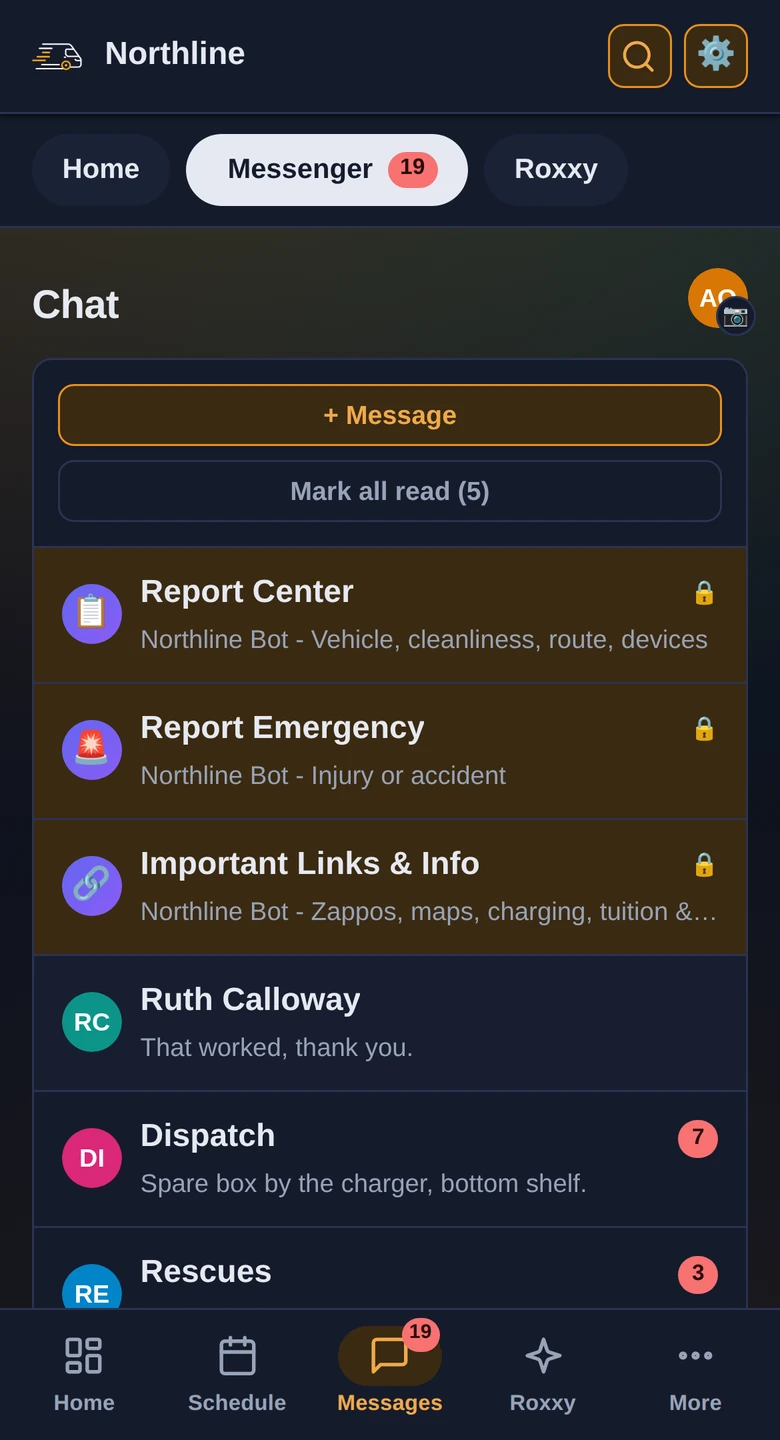
Dispatch, announcements and the report channels in the app their schedule is already in - not a group text that half the fleet has muted.
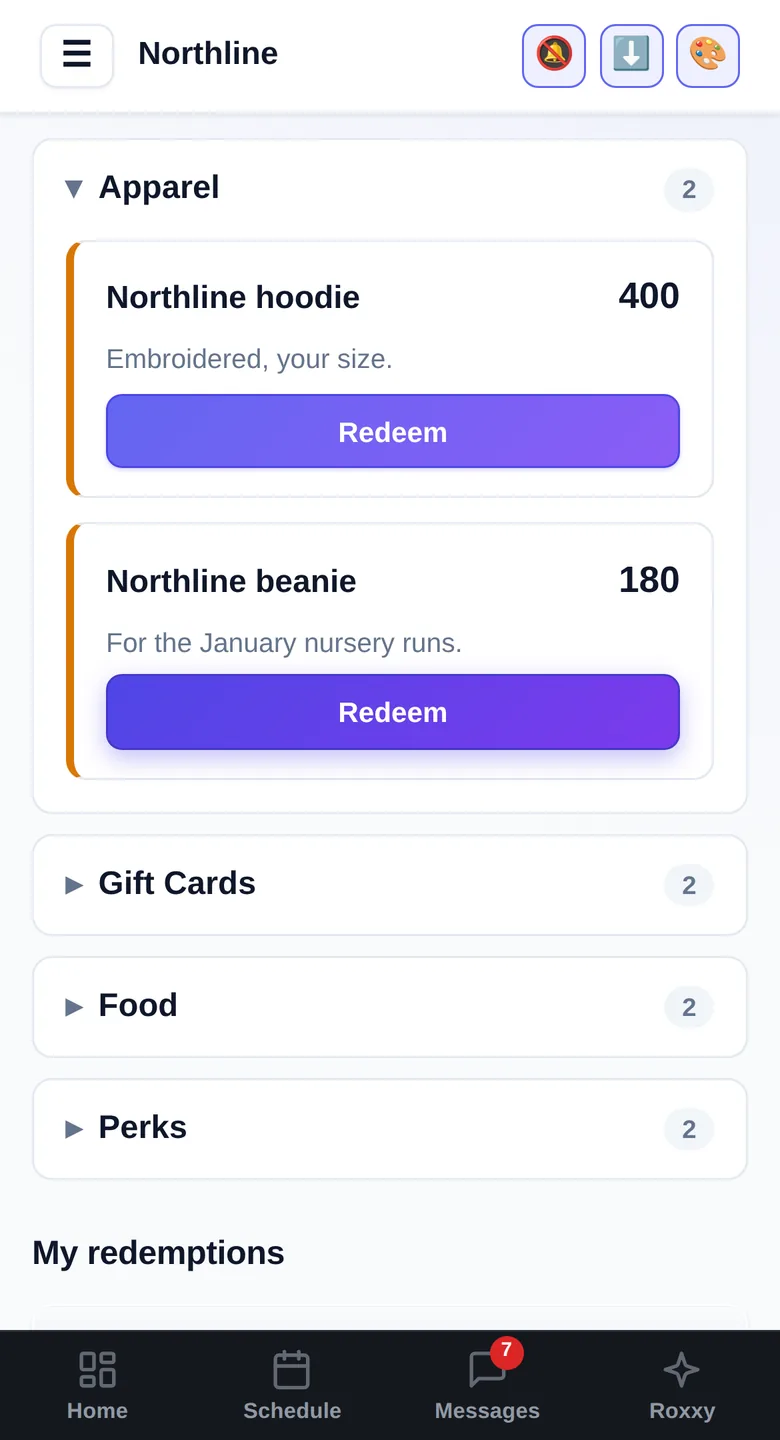
Points for attendance, metrics and covering a route - spent on gas cards, swag or an early finish. You set the currency's name and the prices.
In the dispatcher's pocket
Not just the driver app. The whole office side runs from a phone too.
Every Rivian as a tile with its charge, lowest first, and a grounded van turns red. Checked from the yard, not a desk.
One day at a time, the week in a strip across the top. Who is on, which shift, and the open shift still to fill.
The day's numbers, the imports and Send route info, from the phone in your pocket.
Each day reads Ready, Tight, Short or Critical. A day that needs people gets its open shifts from the same card.
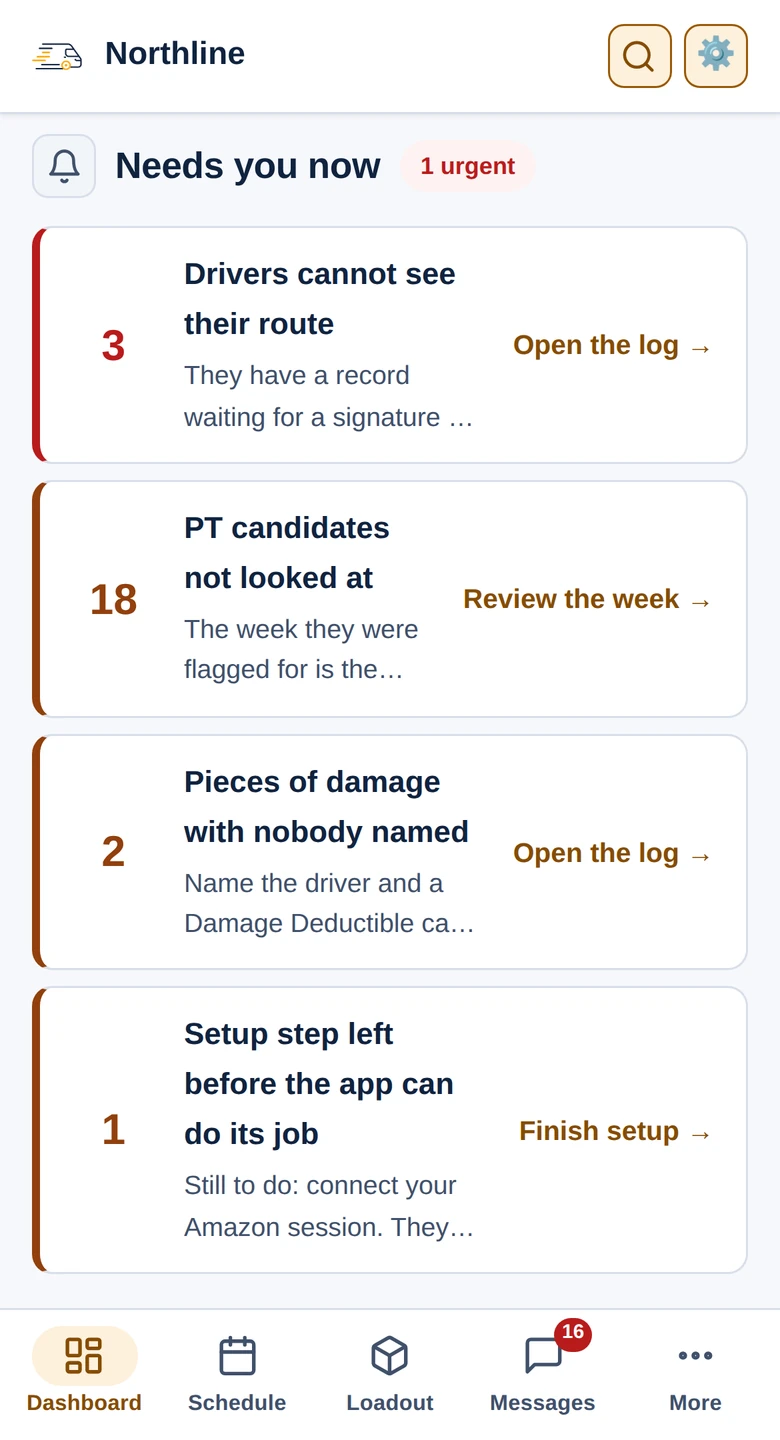
What needs you now, first thing, each with the one button that deals with it.
Every record a card under a coloured status band. Send the draft or remind the driver from the card.
Photos first, then the case number and how far it has got. Log the dent from beside the van.
Ask who is working, then put somebody on the open shift by name - typed or said, wherever you are.
Every one of these used to be a different tab, a different login, or somebody shouting across the office. Now it is one login, and nobody is shouting.
You already know how this week went.
A spreadsheet for the schedule. A different one for vans. A folder of screenshots for coaching, a group text for call-offs, and four browser tabs open just to answer whether a driver actually took their lunch.
Meanwhile the numbers that decide your week - safety, quality, compliance, whether you hit Fantastic Plus - live somewhere none of that can reach.
We ran a DSP like that for years. Fleet Cadence is what we built to stop.
Not a dashboard that reports on your operation. The place the operation happens.
The board your dispatcher lives on, from the night before to the last van back.
Build recurring patterns, and let drivers claim open shifts.
Learn more about scheduling →Routes, vans and waves on one board. Import the plan, assign the fleet.
Learn more about the Loadout board →Overstaffed? Post the slots; drivers claim them and the board fills in live.
Pick-up and drop requests arrive as a card you approve in one tap.
Routes run, vans down, rentals and Okami - one line per day.
Every office page works on a phone too, not just the driver app.
Every driver gets their own app, so dispatch stops answering the same question forty times.
Their week, their route, their van - on their phone.
Their own metrics, without waiting for a screenshot.
Their route, van, wave and staging spot, the night before.
Punches from ADP, and a nudge when they forget to clock in or out.
Direct messages and announcements that land as notifications.
A qualification Amazon adds or takes away, the morning it happens.
Damage, repairs and inspections tracked from the report to the invoice.
From a driver's photo to the vendor's paperwork, in one record.
Every van, its VIN, its status and its history.
Learn more about Rivian fleet tracking →Inspections captured and audited without chasing anyone.
The inspection timed on the driver's phone, against the minutes Amazon requires.
Know which vans are done without waiting on a report.
Each finished repair tells you, van by van, what was reported, what was done, parts, labor and cost. Priced estimates land on the matching repair ticket.
The paper trail builds itself, so a coaching conversation is never a memory test.
Netradyne flags coach the driver straight away, for the behaviours you pick. Their message has a tip and a link to the footage, and can be turned off.
Learn more about safety and coaching →Scorecard coaching and the write-up for repeated safety flags are drafted, and wait for you to press Send.
Write-ups backed by the attendance record behind them.
Rolling points and your own tiers, excused in one click.
Netradyne's DRIVER-STARs ranked - the good driving, not just the bad.
Who is piling up flags, before it becomes a pattern.
Missing punches surfaced the day they happen.
Vehicle issues, cleanliness and accidents, all queued for approval.
The numbers that decide whether the week paid, in front of you while you can still change them.
Track what the week is worth and what is still in reach.
One page for the week, shareable with the whole team.
Every driver's standing week over week, with what to coach next.
Know where you stand with Fantastic Plus every day, which metric is closest to costing it, and who to coach before the scorecard comes out.
Every point Amazon took, accounted for.
Type the week you wanted and watch the standing move.
Operational, grounded and in service, without opening a tab.
Your operation is not the same as anybody else's, and the product is not pretending it is.
Run something your own way? We build you the page for it.
Any form your station needs, without waiting on us.
Your own roles, with No, View or Edit on every responsibility.
Ask the fleet a question and get real answers back.
Your currency, your prizes, your thresholds.
Onboarding, documents and the questions drivers ask when nobody is at a desk.
Handbooks, policies and signatures, filed against the driver.
A new hire walks themselves through it before day one.
Tell it to remind you later and it will, by DM.
A way for drivers to say something without a meeting.
Most DSP software is built by people looking in from outside. This was built by people who ran the station - who made payroll on Friday and answered for the scorecard on Monday.
Not a software company that surveyed some DSPs. We have run the station, made the payroll, sat in the coaching conversation and eaten the chargeback. We have fought the Amazon disputes and lived through the scorecard changes, the system changes, the new rules, the new vehicles and the new SOPs - and worked out of more than one station while doing it. Every screen here started as something that went wrong on a Tuesday.
Formats move, pages get rebuilt, the metric that mattered last quarter gets replaced. We have been through enough of those to build for them, and when a layout changes we adapt the importer, usually the same week.
Every DSP tool is designed by management. We sat down with our own drivers and asked what would make their day easier, and built that too - which is why they open it instead of ignoring it.
If you handle something differently, tell us. Custom pages, custom forms and your own wording are part of the product, not a professional services quote.
One flat price per DSP, with every feature in it. Every driver included, however many you run - so peak season costs you nothing extra, and taking on another twenty drivers is a staffing decision rather than a billing one.
Your first month is free - the whole platform, no card - for everyone, whenever you start. A week of real routes, punches and write-ups is the only way to judge this, and that takes a month to build up.
Refer another DSP and you get a $325 credit once they have been with us two months.
per DSP, per month
The whole platform, the Sync Suite included: everything a station runs on day to day, and the vendors a machine of ours signs in to and keeps current for you.
Unlimited drivers
Nothing is sold on top of the plan except usage, set out below, and nothing is charged before you have seen a number and agreed to it.
Every one of them is in the plan, for every DSP. Open a group to see what is in it.
* Other integrated vendors coming soon
These are billed per use rather than folded into the monthly price, and both assistants can be switched off. You see the rate, the counts and the running total in the app before an invoice arrives - never a bill you find out about afterwards. Ask us for current rates.
Each day's photos checked against the last set for new damage, and the driver who had the van flagged for review.
Drivers ask about their schedule, route, hours or vehicle by voice or text, and get an answer without calling dispatch.
Pull anyone's record, draft a write-up, open a repair ticket or fill an open shift, by voice, without leaving the board.
No - it sits alongside them. Fleet Cadence keeps your scorecard, itineraries and route plan somewhere the rest of your operation can actually use them, then handles everything those tools leave you to do by hand: scheduling, payroll sync, coaching, repairs and talking to your drivers.
The Amazon session we save for you is encrypted, and the key to it is kept outside our database. It is used only to read your own DSP's information, and no other DSP on Fleet Cadence can reach it. If you connect through our login window, that window stays signed in and can remember the account's email and password, so it can sign itself back in when Amazon signs it out - an admin can switch that off. So we recommend giving Fleet Cadence its own Amazon account with Logistics portal access, used for nothing else: switching that account off at Amazon ends the connection without touching anyone else's sign-in. At your DSP, only admins can connect it, open the login window or clear the saved session, and the Role Manager lets you narrow that to the roles you choose. And an admin can export all of your DSP's records at any time.
We do, with you, and it is included - there is no onboarding fee and no implementation package to buy. We sit down together, load your drivers and vans, build your shift patterns and wire up whichever integrations you want (ADP, Netradyne, Rivian - each one optional). You get a working board on day one, and you can run the schedule and the loadout without connecting anything at all.
Because there does not need to be one. Fleet Cadence is built to work as well on a phone as it does on a desktop: your drivers add it to their home screen, it opens like any other app, it keeps working when the signal drops, and push notifications reach them either way. No app store in the middle, no update your drivers forget to install, and nothing to get approved before a fix reaches them. The office side works on a phone too, so dispatch is not tied to a desk.
From your active associate list. You export it, drop the file in, and we match every driver and create their account - names, transporter IDs and all. Re-run it whenever your roster changes and it reconciles: new hires get accounts, people who have left get deactivated. Nobody types a roster in by hand.
Only if you want the timecard features - clock-ins, My Hours and timecard compliance, which are in the plan. You enter your own ADP API credentials and ADP bills you for that access directly; we don't mark it up or resell it. Switch the integration off and everything else works exactly the same.
Everything. There is one plan and every DSP gets all of it: the Scheduler, the Loadout board, VTO and Readiness, repair tickets, Vehicles Data and fleet execution, AutoDVIC and the PAVE checklist, the Netradyne safety desk, onboarding and the training log, ADP timecards, the scorecard, bonus and rewards, the whole driver app, and the Sync Suite - the vendors a machine of ours signs in to and keeps current for you: the PAVE auto checker, Rivian charge status, the Rivian service calendar and work orders, and the Amerit service calendar and work orders, with more vendors coming.
That's handled. Each station's route plan layout is configured separately, and stations that send the same format share one importer.
Yes. Each one is fully isolated - separate data, separate staff, separate branding - and you switch between them without logging out.
Each station gets its own board, its own chats and its own route plan, and a driver only sees theirs. The reporting rolls all of them up, so you can still read the week as one operation.
Three things are billed by use - the vehicle photo inspections, the assistant your drivers talk to and the one your admins talk to - and every one of them can be switched off entirely in Settings. While they are on, the running total sits in the app with the rate next to it, so the invoice is never the first time you see the number.
No. A driver sees their own record and nothing else - their coachings, their write-ups, their safety flags, their points. Their scorecard is the only place they see the team, and that is a ranking, not a name.
All of it, whenever you want, and without asking us. Every board exports to a spreadsheet on its own - the route log, vehicle usage, VTO, driver metrics, the truck log, training, coaching, vehicle status changes - with the full history rather than whatever is on the screen. And one button exports the entire DSP as a zip of spreadsheets: every record we hold for you, write-ups, safety notices and the disciplinary log included. It is your record. You can take it with you.
We adapt, usually the same week. Formats move and pages get rebuilt - we have been running a DSP through those changes since 2018, so the importers are built expecting it. You are not filing a ticket into a queue behind a thousand other customers, and you are not waiting for a quarterly release.
Probably, and it is included. Custom pages, custom forms and your own wording are part of the product rather than a professional services quote. Tell us how you run it and we will build the page for it.
Nothing. The plan is one flat price per DSP, so peak season, a hiring push and a quiet February all cost the same. You are never billed for growing, and taking on another twenty drivers is a staffing decision rather than a billing one.
Tell us about your operation and we will set you up on your own routes: the whole platform, your own drivers and vans, no card. If somebody sent you, put their referral code in and they get their credit.
Already a customer? Sign in here.